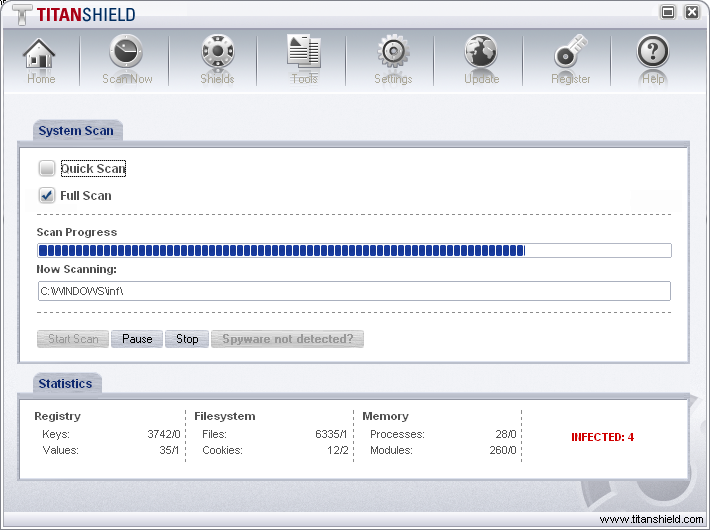
Is John Zuccarini back as a bible salesman?

John Zuccarini was the notorious cybersquatter who ultimately got prison time for cybersquatting children’s sites and redirecting them to porn..

Patrick and Adam have been researching some old Xupiter stuff and came across something curious. John Zuccarini had been an affiliate of Xupter, and Patrick rechecked Zuccarini’s old yes-yes-yes.com that was mixed up with Xupiter.

Well, yes-yes-yes.com now redirects to a new site, challengedavinci.com. It then links to lynxtrack.com and passes to usa-bibles.com.

Challengedavinci

ChallengeDavinci.com is a new site, registered under John Zuccarini! Who knows if it’s a real name or fake, but it certainly is intriguing. John might be out of prison now (he was sentenced in early 2004 for 2 1/2 years), he could be running the site from prison, or someone could have just used his name.

challengedavinci.com
RSP: domaindiscount24.com
URL: http://www.dd24.net

created-date: 2006-04-30
updated-date: 2006-04-30
registration-expiration-date: 2007-04-30
owner-contact: P-JRZ45
owner-organization: Coral Island Traders Ltd
owner-fname: John Zuccarini
owner-lname: Zuccarini
owner-street: 145-157 St John Street
owner-city: London
owner-zip: EC1V 4PY
owner-country: GB
owner-phone: +442075539764
owner-fax: +44.8452264624
owner-email: raveclub@london.com

Of course, the “free bible” is, um, a dubious claim…

Alex Eckelberry

Windows Vista Kernel Changes

Windows Vista is coming and will be here sooner than some might think. By now everybody has probably seen the new graphical changes with the new Aero and Aero Glass user interfaces and heard all about the new User Account Control (UAC) security improvements designed to make the operating system more secure.

But what about the “under-the-hood” changes in the Vista kernel? There are lots of exciting changes being made in the areas of performance, scalability, reliability, and security.

I had the opportunity to attend TechEd this year in Boston and listened to Mark Russinovich and David Solomon present a talk on some of the new kernel features, such as:

  • Better CPU and memory utilization
  • There are new kernel synchronization APIs available to developers
  • There are many improvements in device I/O, including the support for cancellation
  • Services can now be set to delayed autostart so they don’t have a performance impact at logon, can specify their shutdown order and receive pre-shutdown notifications
  • SuperFetch, ReadyBoost, ReadyDrive, and BitLocker Drive Encryption
  • User Mode Driver Framework (UMDF)
  • Better pre-boot and system startup, including the new Boot Configuration Database (BCD) and Address Space Load Randomization (ASLR)
  • User Account Control (UAC) and service security improvements, including Session 0 isolation and a new credentials provider model
  • Support for transactions with the new Kernel Transaction Manager (KTM)
  • Windows Error Reporting (WER) to catch unhandled application exceptions

The changes being made for Windows Server “Longhorn” will be a superset of the changes being made in Vista. Many of these changes will be merged back in to Vista with Vista Service Pack 1, which will probably be available sometime after “Longhorn” ships.

This is a summary of the session, to get the full details go to here.

Scott Dorman

CDT slams Internet Safety Act

The road to hell is paved with good intentions, etc., etc.

Mandatory Labeling Bill Threatens Free Speech on the Internet – New legislation allowing for the imprisonment of Web site operators who fail to label adult-oriented material — including sexual health information — would undermine First Amendment free speech protections and do nothing to protect children on the Internet. The Internet SAFETY Act (S. 3499) would require Web site operators who post adult-oriented material to place markers on every Web page containing such content. Violators would face prison terms up to 15 years. CDT believes the measure would have a profoundly damaging chilling effect, deterring bloggers, artists and even health advocates from posting legitimate information that could expose them to jail time. June 15, 2006

Link here.

Alex Eckelberry

Eyetide viewer bundled with Zango

Zango is now bundling a viewer called “Eyetide”.  This is a bit perplexing, since in the past, Zango had relied on the DRM capabilities in Windows Media Player for viewing videos and the like.  Now, they are installing this new viewer.

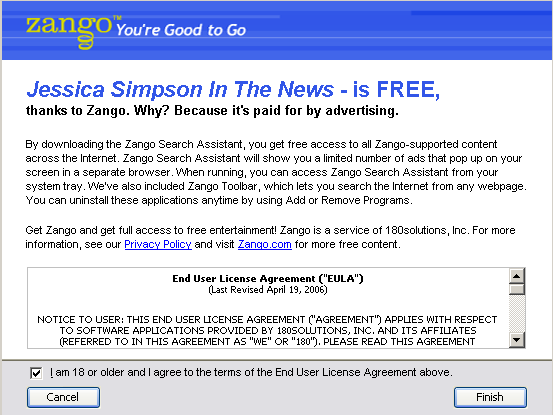
Nowhere is it disclaimed that this viewer is downloaded, btw.  You simply get it by clicking on something like Jessica Simpson in the News.

Zango_jessica

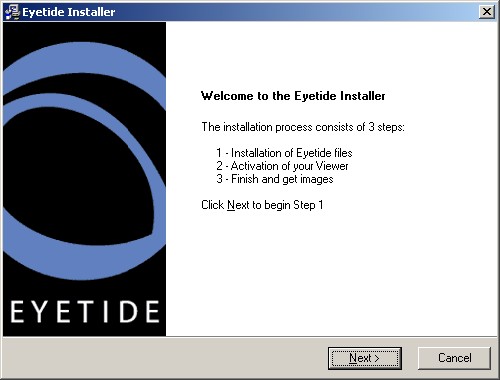
The typical Zango install screen, and then BOINK here comes Eyetide:

Eyetide_0001

When asked about Eyetide, a 180Solutions representative said that Eyetide was merely one of their partners.

Alex Eckelberry

Update: I just got this from a 180 spokesperson:

“…since Eyetide is a partner of ours, a collection of their screensavers is made available to the Zango network of users. The user must have the Eyetide Viewer component in order for the Eyetide application to work so it is included in the download. As you likely noticed in the “Jessica Simpson in the News” screensaver download, you not only had to accept the Zango UCI, but you also had to accept the Eyetide terms before the download would complete.  Likely what led to your confusion is if you clicked on the “Jessica Simpson in the News” icon in the “What’s New” section of our homepage, you do not get the additional text that explains that it is a screensaver…this is a technical bug that we’re currently in the process of straightening out. If you go to this page http://www.zango.com/Destination/catalog/listing.aspx?tag=downloads.screensaver on our website and scroll down to the “Jessica Simpson in the News” download, you’ll see how it is supposed to expand to provide more info”


Oh, that whole 4th amendment thing? Just let it go, people!

You know, the US Constitution is a drag to read.  So why bother?

Prosecutors can use evidence seized by police during a home search even though officers violated the Constitution by failing to knock or announce their presence before entering, the U.S. Supreme Court ruled.

…Dissenting Justice Stephen Breyer said the ruling “destroys the strongest legal incentive to comply with the Constitution’s knock-and-announce requirement.” Justices John Paul Stevens, Ruth Bader Ginsburg and David Souter joined Breyer’s opinion.

Link here.

Alex Eckelberry
(Thanks Marc)

Update to the Sunbelt Kerio Personal Firewall

English-language users can get an updated version of the Sunbelt Kerio Personal Firewall, available here (those who use the translated version will get the same update in the near future). 

This is version 4.3.246 and fixes are variety of issues and also fully migrates the licensing to Sunbelt servers, as opposed to Kerio’s.

Change list:

· Resolves a stability issue that would occur in some circumstances. 
· Fixes to the documentation
· Several minor GUI fixes
· Corrected minor licensing errors
· Changed licensing from Kerio to Sunbelt
· Changed updates from Kerio to Sunbelt
· Updated the advertising block list
· Performance improvements when web filtering is enabled

Alex Eckelberry

Those nice dear boys at iframecash

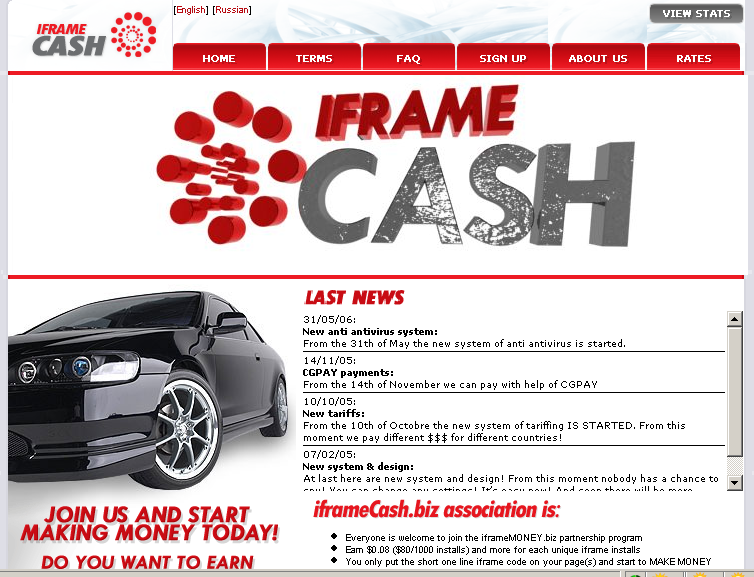
As many of you know, iFramecash(dot)biz is down (as well as its related site, extrememoney(dot)biz).  This is a nasty group that runs exploits through ads.  

Well, they are actually running just fine, thank you — albeit at a different site, iframemoney(dot)biz.  In fact, here’s the whole happy bunch:

81.95.146.85     iframemoney biz  Charles Manuel      admin@spyfix.biz
81.95.146.86     xarwiroozc biz           Charles Manuel      admin@spyfix.biz
81.95.146.86     xcytxcxqrb biz  Charles Manuel  admin@spyfix.biz
81.95.146.86     xdnsupulub biz              Charles Manuel  admin@spyfix.biz
81.95.146.86     xepvdhdnzs biz              Charles Manuel  admin@spyfix.biz
81.95.146.86     xffsktxdul biz     Charles Manuel  admin@spyfix.biz
81.95.146.86     xgbgsfmdis biz              Charles Manuel  admin@spyfix.biz

Of course, in typical style, their site is replete with the black car and funky techno music. After all, the life of a spyware scum must be glamorous, no?   (Hey Boris, let’s pwn some machines and then hit teh disco yah!)


Iframe_0001 

Alex Eckelberry
(Thanks to Sunbelt researcher Patrick Jordan and our friends at MAD)

Rogue antispyware app Trust Cleaner

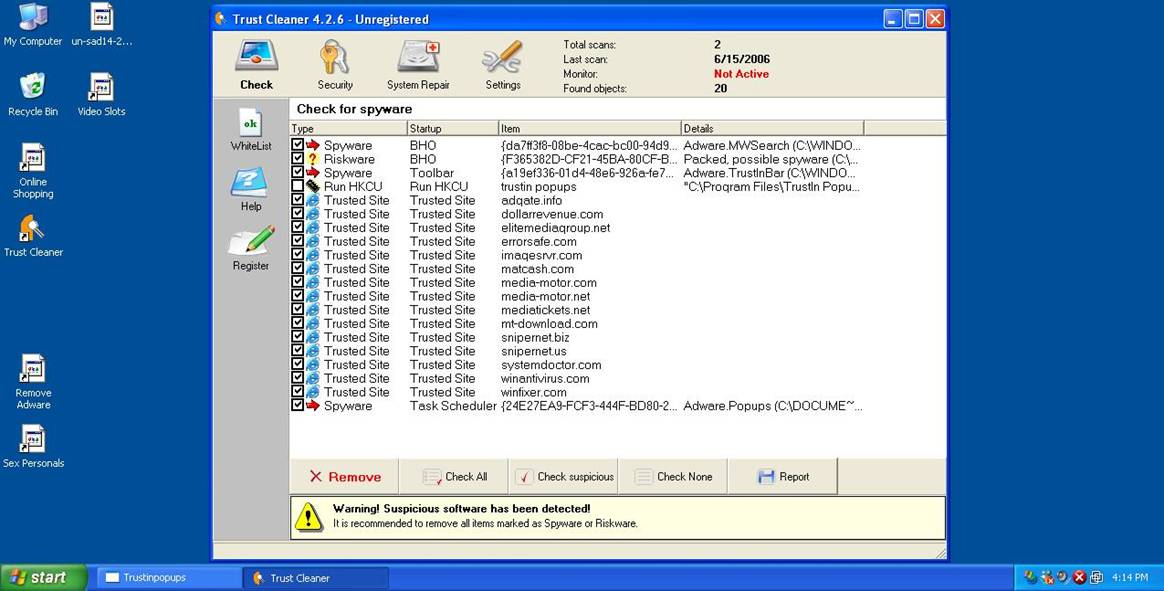
We’re not the first to report this (Bleeping Computer has it already).  However, it’s worth noting Trust Cleaner as another rogue antispyware app.

Trustcleaner_111

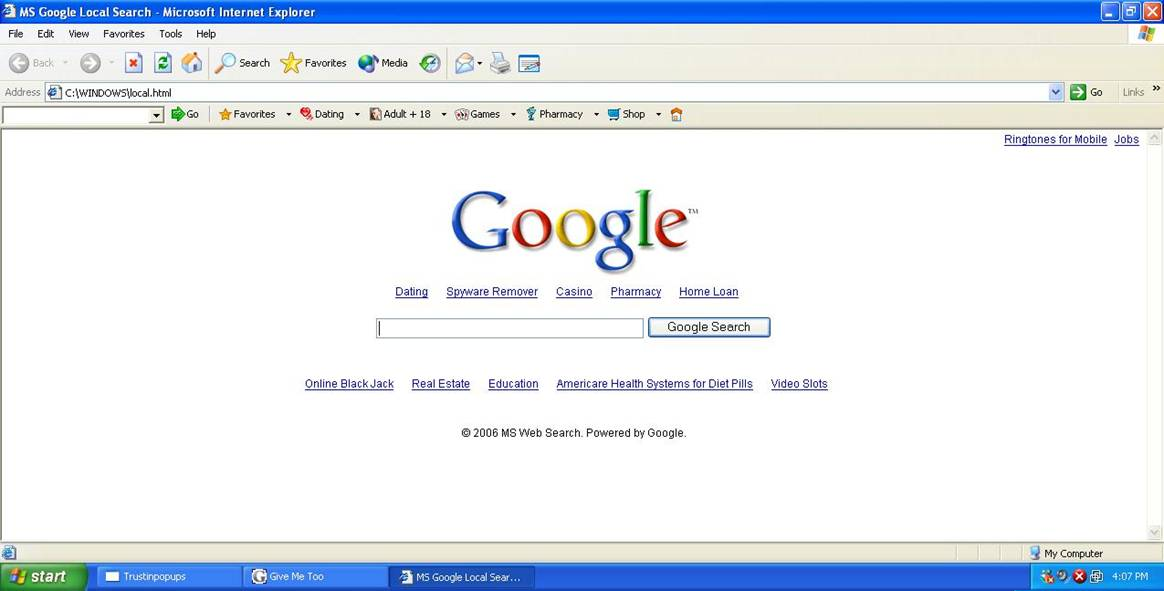
It even features a fake Google hijacked page…

Trustcleaner_112

All on the same IP address:

mswindowssearch. com  — the location of the hijacked Google page.
trustcleaner. com and trustinbar. com — where you can get Trust Cleaner.

And some more:

813aw0nr01jsxfj374ca. com
adelinatech. com
adsforsite. com
azebar. com
blablablablablablablablabla. com
fandl. net
finditanyway. com
globosoft. info
googlecaches. com
trustclicks. com
trustincash. com
trustincontextual. com
trustinpopups. com
trustinsearch. com

Alex Eckelberry

TechEd drivers on strike?

Earlier this week, I was at TechEd in Boston.

It’s a charming city as always, and the new convention center is really nice. 

However, getting back and forth to the hotels was a mess.  The city is a maze of little streets, and there is constant construction.  It’s incredible — Boston has been in a perpetual state of construction since the beginning of time.

So Microsoft provides nice buses to go back and forth, but the traffic in Boston is something just short of hell.  I forgot my business cards in my hotel on Monday morning and had to go all the way back, and it was a long ride. 

And coming back Tuesday meant I avoided a strike.  That’s right:  The buses went on strike!   Typical northeast nonsense.  (Note:  The actual effect was apparently fairly minor.)

Next year, Microsoft plans on holding TechEd in New Orleans, which is not my favorite idea (this is a city that soaked for a month in a toxic sludge fed by three superfund sites and is still barely back on its feet). Perhaps Microsoft is feeling charitable and is trying to help rebuild the city, but I’m not sanguine on being there. 

Note to Microsoft: Great cities for tradeshows:  Vegas. Orlando. New York.  Tampa.


Alex Eckelberry

Service Pack 1 will no longer be supported

On July 11, 2006 and October 10, 2006, Microsoft will end all public assisted support for Service Pack1 (SP1) (see affected products). After this date, Microsoft will no longer provide any incident support options or security updates for this retired service pack under the policies defined by the Microsoft Support Lifecycle policy.

So please, if you’re not running SP2, upgrade.  It’s absolutely insane and highly dangerous not to be running SP2.  Link here.

Alex Eckelberry

Real-time spyware stats

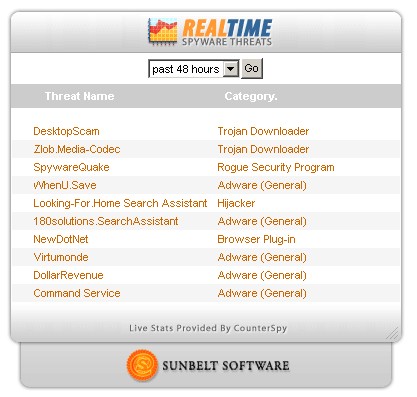
We’ve been doing a fair amount of work on cleaning up our research center, and now there’s a nifty new thingie on the front page of our research center — live stats of spyware being removed from CounterSpy users’ systems. 

It’s a general and approximate representation of a sample of our users but it’s interesting to play with (we did have a version floating around in the past but it was not broadly known about — except for one writer who mentioned it in his newsletter).

Spywarescan000013

You can see the live stats here.

And here’s something curious — recently we saw a number of ancient pieces of adware on the top-10 list:

  • ABetterInternet – Adware (General)
  • Bridge/WinFavorites – Adware (General)
  • Xplugin – Trojan Downloader
  • Transponder TPS108 – Browser Plug-in
  • Transponder.Pynix – Adware (General)
  • DailyToolbar – Toolbar

I’ll quote from an internal email from Eric Howes, Sunbelt’s director of malware research:

The culprit is the new rogue anti-spyware app, TitanShield AntiSpyware. Incredibly enough, this app loads a bunch of bogus spyware/adware, which is then proceeds to detect.

The bogus spyware/adware conists of both garbage dummy files named and located like the originals of the above threats as well as Registry keys that actually match the above threats.

CounterSpy is detecting both the Reg keys and, in some cases, the files (based on file name/path match) and reporting that the PCs are infected with those ancient spyware/adware programs, when in fact what’s really going on is that TitanShield loaded a bunch of bogus apps.

It’s hard to call these false positives, and the junk really should be removed. It’s just that the users’ PCs aren’t infested with the above apps but rather TitanShield AntiSpyware.

Pretty incredible, eh?

Alex Eckelberry


E&Y gives award to freeze.com

Ever year, Ernst and Young holds “Entrepreneur of the Year” awards, regionally and nationally.  (I was nominated for the award last year in my region but lost out to a smart guy who provides internet access to hotels, while Dave Moll. over at WebRoot deservedly won last year in his region.) The process of winning an award is a bit of a mystery, but one assumes there’s a certain amount of due diligence in the whole process. 

Well, the E&Y team for the Minessota/Dakotas region decided that the folks who power Freeze.com deserved to become Entrepreneurs of the Year for their region.  They are Aaron Weber, Vice President, Robert Weber, President and Founder, and Ryan Weber, Executive Vice President and Founder.

Ok.  What is Freeze.com?  It’s a site which tries to load you up with adware and spams you, in return for free screensavers. 

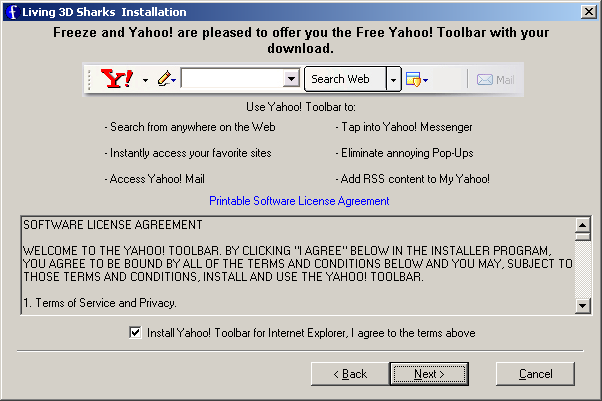
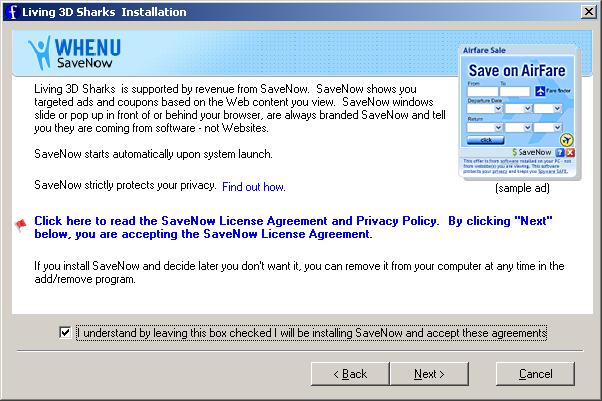
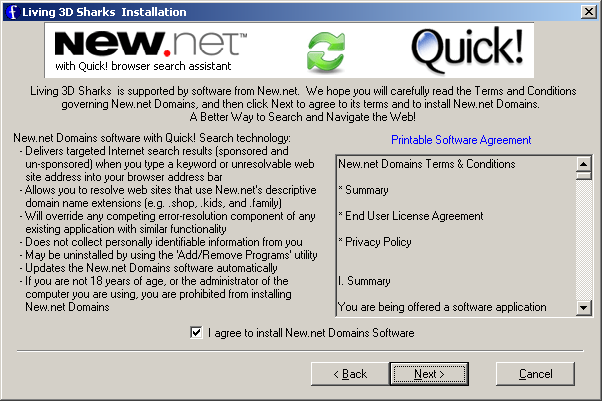
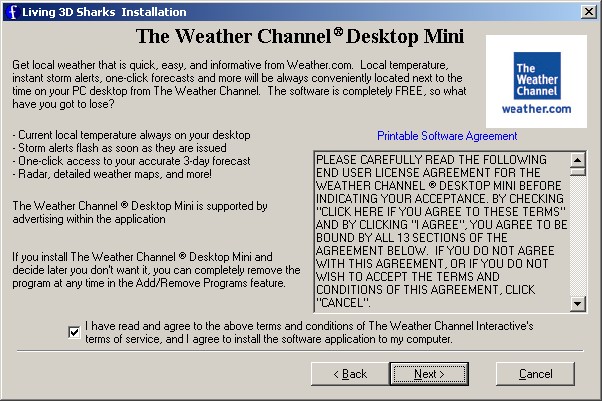
A recent test install of a screen saver netted attempts to install products from New.Net, WhenU and the Yahoo toolbar.  It was a cornucopia of fruity, juicy ads blizzard happiness.  Use a product from Freeze.com and you will be awash in sea of happy advertising!  But you’ll have a cool screensaver, so that’s a relief.

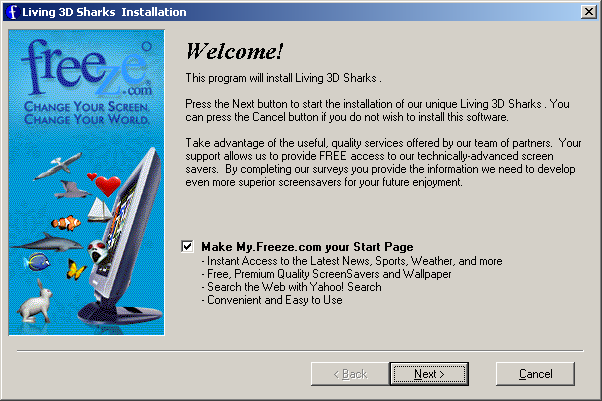
Here’s a recent download of one nifty shark screensaver:

Freeze1

Start page

Freeze_yahoo

Yahoo toolbar

Freeze3

WhenU SaveNow adware

Freeze4

New.net adware

Freeze5

Weather Channel

(To their credit, I opted out of all of these offers, and they didn’t install on my machine.  But how many people just click “Next, Next, Next”?)

On my desktop, there was a cluster of beautiful new icons.

Freeze_icons

These point to Certified-Safe-Downloads, aka Registry Cleaner (rating) and 24/7 downloads (rating) — and a couple of other sites.  (Fwiw, Freeze.com EULA here.)

Anyway, Freeze’s formula has worked.  According to the company,. the company has grown over 400% in the last three years, has been profitable since inception and has 85 million registered users.

Well, what can I say.  This company isn’t a criminal enterprise by any stretch of the imagination.  They’re just a bunch of guys aggressively monetizing free screensavers through advertising.  I just wonder if that E&Yoffice should have given the award to their local guy who does internet access to hotels.


Alex Eckelberry
(Hat tip to SiteAdvisor)

Sunbelt TechTips for the week of June 12th

How to reinstall Windows without reactivating
Need to format your hard drive and reinstall XP, and don’t want to have to go through the product activation process again? You can save the activation status info and then restore it after you reinstall the operating system, as long as you haven’t made any changes to the hardware. Here’s how:

  1. Before reformatting, in My Computer, double click the drive letter on which you installed XP, and navigate to WINDOWSSystem32.
  2. Click “Show the contents of this folder” if necessary.
  3. Copy the following files to a floppy, USB drive, CD/DVD or network location: wpa.dbl and wpa.bak.
  4. After reformatting and reinstalling XP, select NO when asked if you want to activate Windows now.
  5. Restart in Safe Mode.
  6. In My Computer, open the WINDOWSSystem32 folder and rename the existing wpa.dbl and wpa.bak files (if you have them).
  7. Now copy your old wpa.dbl and wpa.bak files to the System32 folder.
  8. Restart and you should not be requested to activate again. This only works when you reinstall Windows on the same computer and the hardware remains the same.

Can’t play your WMA file?
If you get a message that says “A security upgrade is required to play this file” when you try to play a WMA file in Windows Media Player: This happens when you try to play copy protected content in Windows Media Player 10. If you click the “yes” button, you will probably get a message that says “This computer is not authorized to play this song. In order to play this song you must first purchase it. If you already own the song, sign in to listen to it.” At that point, you’re given two choices: buy the song for $.99 or click the “I already own this song button.” If you click the latter, you may be asked to install the MSN Music Assistant and the digital rights management components on your XP computer may be upgraded by creating a unique identifier and sending it to the MSN server. To download the Assistant, you’ll have to sign into MSN with a Passport or Windows Live ID.

If you get a message that you’re unable to upgrade the DRM components, it may be because your LAN settings in Internet Explorer are configured to automatically detect a proxy server. To fix that, click Tools | Internet Options, click the Connections tab and then click the LAN Settings button. In the dialog box, uncheck the box labeled Automatically Detect Settings.

Slow Performance of Favorites menu with SP2
If you find that your computer is slowing down to a crawl whenever you try to access the Favorites menu in IE or Windows Explorer after you installed Service Pack 2, it may be because you’re redirecting the My Documents folder to a non-local (network) location and have enabled the desktop.ini cache. There is a hotfix available for this problem, but Microsoft recommends you apply it only if severely affected. Read more in KB article 898612.

Memory leak in Tablet PC
If your portable computer is running the Tablet PC edition of Windows XP and you’re noticing a gradual decrease in available system memory that causes a performance hit, you may be suffering from a known memory leak caused by the tcserver.exe service. Restarting the computer fixes the problem temporarily, but now there is a hotfix you can get from Microsoft Product Support Services. To find out how, see KB article 895953.

You get an error message when you try to open User Accounts in Control Panel
If you try to open the User Accounts applet in the Windows XP Control Panel and instead of opening, it gives you a message that says “Microsoft HMTL Application host has encountered a problem and needs to close,” you can usually remedy the problem quickly by registering a DLL. For instructions on how to do so, see KB article 919751.

Deb Shinder

Vista goes public

Techies have been testing it for months, but as you know, until now, most had to wait.

There’s been plenty of hype about Microsoft’s new operating system, from both sides of the fence. On private newsgroups, beta testers have posted horror stories, glowing reports, and everything in between. Some industry pundits have ragged on Microsoft for omitting some features as Vista has rolled closer to completion and for pushing the final release date back. Meanwhile, members of the computer-using public have reacted in ways ranging from ho-hum apathy to eager anticipation. Now those who want to (and are brave enough) can try it out for themselves. Last week, Microsoft released the first public beta of Vista. You can download the “Customer Preview Edition” here.  

It comes in English, German and Japanese language versions and if you’re running cutting edge hardware, yes, you can get a 64 bit edition. Registering for the Customer Preview will also get you the release candidate (RC1) when it becomes available later this year.

As an MVP and MSDN member, I’ve had access to several previous builds of Vista betas and some of them have impressed me more than others. Since I’ve been under a Non-Disclosure Agreement, though, I couldn’t write much about it. Now the cat’s out of the bag! I decided to try to approach this public beta fresh, as if I were a consumer seeing it for the first time, and report on the download and installation experience here.

For a small fee, you can have Microsoft send you a DVD. I opted to instead download the ISO file. It’s about 3.5 GB for the 32 bit edition or 4.4 GB for the 64 bit, so a high speed connection is almost essential. You also need a DVD burner in order to convert the download into a bootable DVD. Of course, if you’re using virtualization software you can run the ISO as if it were a physical disc. Be sure to check the system requirements and run the system checker on the installation DVD before attempting to install.

I’ve installed the private betas of Vista in virtual machines (both Microsoft’s Virtual PC and VMWare). For this public beta, I decide to take the plunge and install it “for real” in a dual boot configuration with XP on one of my two primary computers. That took a leap of faith (if things go wrong in a VM, it doesn’t affect your host operating system; if things go wrong in a dual boot install, you might end up hosing XP). But I crossed my fingers, said a prayer and clicked “Install.”

First you’re asked whether you want to connect to the Internet during installation and automatically install updates. Since this was the default choice most consumers would make, I okayed it. Next you have to agree to the EULA, then choose whether to upgrade your current OS or do a custom installation. I was very pleased to see that the upgrade option is disabled (that’ll keep a lot of people from overwriting their XP and regretting it later). You must remove c:ProgramData in order to upgrade.

I chose Custom Install and picked an empty partition I’d created just for Vista. File copy took about five minutes, but expanding those files took almost three times that long. Then it flew through feature and update installation and we came to “Completing Installation” less than 20 minutes after beginning (of course, your mileage may vary depending on your computer’s resources and configuration. This is a fairly high end system). The computer rebooted a total of three times during the process.

The only scary part came at the end, when after about one minute of the Completing Installation screen, the monitor went black and a “no signal input” message appeared. This lasted for maybe two minutes (two long minutes), but it was obvious there was still activity going on from the DVD and hard disk noises. Finally the disc spun down and then the system restarted for the third and last time. The boot menu appeared, with two choices: “Microsoft Windows” (that’s Vista) and “Earlier version of Windows” (which I hoped would take me to my original XP installation). I booted into Vista first.

The cursor appeared and “Beta 2, Build 5384” in the lower right corner of the screen. After 30 seconds or so, the graphic setup program started. The dialog boxes went through the usual questions: country, region, keyboard layout, entering username and password, choosing a computer name and wallpaper, time/date settings. You’re also asked whether you want to automatically install updates, use recommended security settings, or decide later. When setup is complete, you click Start and a logon screen appears. Enter the password you set up for the account a moment before, and your desktop will appear in another half minute or so.

I was automatically connected to my home network and could access my domain resources. IE 7 worked on the first click (I still remember how many readers wrote in exasperation when XP’s IE 6 wouldn’t connect “out of the box”). Most exciting of all, I opened Outlook Express, entered the configuration settings for my Exchange server, and OE immediately connected and started downloading my folders. The OE interface has two folder hierarchies, one for the local inbox and one for the Exchange inbox. How cool. The only real glitch I encountered was that multiple monitors didn’t work. I have three monitors connected to two video cards on this computer, and all three work fine in XP. Vista only seemed to recognize the primary monitor (DVI connection). I’ll be spending some time figuring that one out.

Shutdown was fast, and then came the moment of truth: was XP still there? At the boot menu, I selected “Earlier version” and after only a brief moment of suspense, was back in my old operating system, which performed normally. I’d rate the installation of the Customer Preview edition a definite success – although I’ll be happier still when I can get all three monitors going.

Despite my own experience, remember that different systems may react differently and some will have compatibility issues. Installing in a VM is still the safest way to experiment with beta software. If you give Vista a try, please back everything up first. And let us know how it goes. Now that the NDA restrictions don’t apply, I’ll be writing more about Vista’s new features in the future.

Deb Shinder
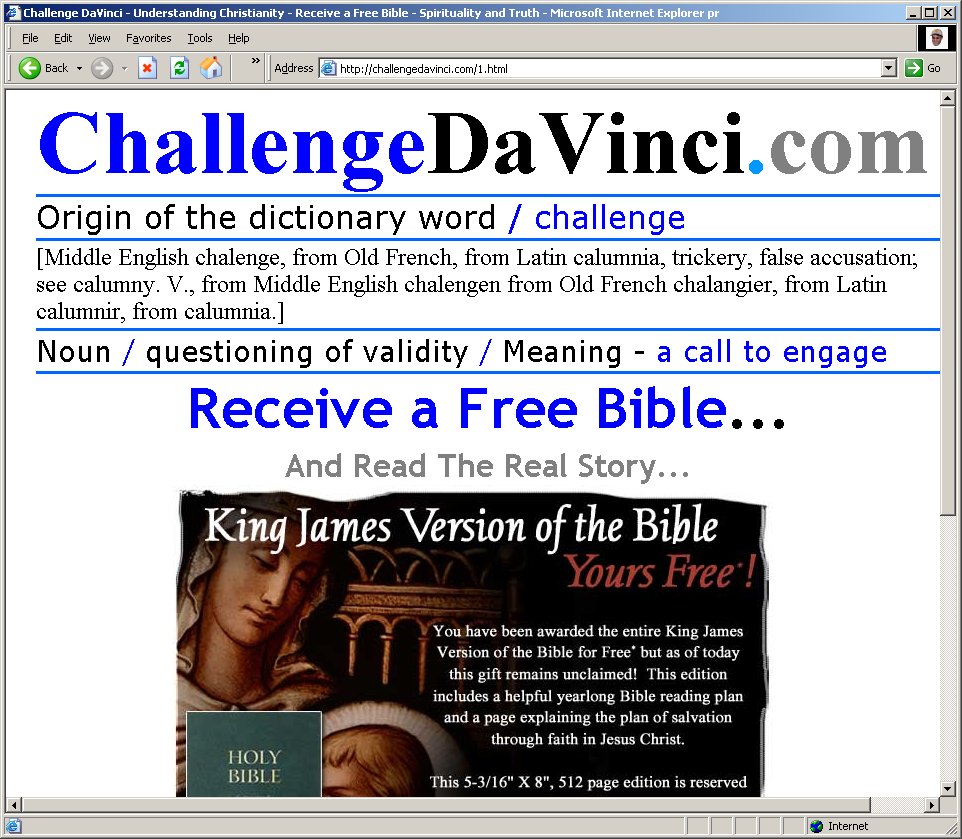
Titan Shield – New rogue antispyware app

Titan Shield (aka TitanShield) offers loads of fun.  Available at antispywarebox(dot)com (a new rogue site) and titanshield(dot)com

Titan_000001

One curious thing this naughty program does is install fake adware files on your PC.

The latest version of CounterSpy will detect this new rogue application (download here).

Alex Eckelberry
(And gracious thanks to our friends at MAD for the tip)  


Car ad brings malware: Beware

Got this from Mat at Sana Security.  An innocent looking ad on Craigslist leads to a site with malware.

Hello,
Thank you for your interest in my car. I gladly inform you that it is still on sale so you are right on time.
Sorry for the delay, as I am staying in the hospital right now. As I have to cover all the costs myself, I am selling it and the deal is very good for you. The car is in an excellent good condition. Please, follow the link and download all the specific information about the car:
http://url_removed/myalbum.exe
As soon as you download it, you will have all the necessary data:
description, photos, and other
details. Please, make sure you are well acquainted with the info so that your decision would be reasonable. The car is in excellent condition, no accident. Thank you.
Please, reply ASAP and feel free
to ask any questions.
P.S. To watch the pictures you are to save the portfolio on your computer and launch it.

Mat’s link here.

Alex Eckelberry

If you want a spare towel, Microsoft just threw one in

While official support ends in mid-July, Microsoft looked at fixing MS06-015 and said screw it:

Specifically, after extensive investigation, we’ve found that it’s not feasible to make the extensive changes necessary to Windows Explorer on these older versions of Windows to eliminate the vulnerability.

This is because during the development of Windows 2000, we made significant enhancements to the underlying architecture of Windows Explorer. The Windows Explorer architecture on these older versions of Windows is much less robust than the more recent Windows architectures.

Due to these fundamental differences, these changes would require reengineering a significant amount of a critical core component of the operating system. After such a reengineering effort, there would be no assurance that applications designed to run on these platforms would continue to operate on the updated system.

We do strongly recommend that customers still using Microsoft Windows 98, Microsoft Windows 98 Second Edition (SE), and Microsoft Windows Millennium Edition (ME) protect those systems by placing them behind a perimeter firewall which filters traffic on TCP Port 139 which will block attacks attempting to exploit this vulnerability. This is discussed in the “Workarounds” section of the vulnerability.

Link here via /.

Well, this may elicit howls of protest from some, but I personally don’t blame them much.  Low-level Win 98 development is a horrible, ghastly endeavor, and given the challenges they were faced with (like making apps continue to be compatible), I think they made the most logical decision.


Alex Eckelberry