Interesting podcast. Link here, at the top of the page (under “Two New Critical Windows Problems”).
Alex Eckelberry
The Legacy Sunbelt Software Blog
The Great Years: 2004-2010
Interesting podcast. Link here, at the top of the page (under “Two New Critical Windows Problems”).
Alex Eckelberry
I feel like I’m in the twilight zone here. From a news source that refers to itself as a “Chechen independent international Islamic Internet news agency”:
FSB (former KGB) hackers in Russia are using a flaw in Microsoft’s Internet Explorer (IE) web browser to infect computers with spyware and malware.
Link here.
Since when did anyone say this exploit involved the FSB, the Russian secret police that succeeded the KGB? We never saw any evidence of this.
This is just weird.
Alex
(Thanks Adam)
Here’s a snort signature for the VML exploit from BleedingEdge Snort.
# Submitted 2006-09-19 by Chris Harrington
alert tcp $EXTERNAL_NET $HTTP_PORTS -> $HOME_NET any (msg:”BLEEDING-EDGE EXPLOIT Possible MSIE VML Exploit”; flow:established,from_server; content:”<html xmlns|3a|v=|22|urn|3a|schemas-microsoft-com|3a|vml|22|>”; nocase; reference:url,sunbeltblog.blogspot.com/2006/09/seen-in-wild-zero-day-exploit-being.html; classtype:misc-attack; sid:2003106; rev:1;)
To use this signature in our Kerio firewall: You can add these rules into the “bad-traffic.rlk” file located at: C:Program FilesSunbelt SoftwarePersonal Firewall 4ConfigIDSRules.
NIPS (Network Intrusion Prevention System) must be enabled. And you must restart the Sunbelt Kerio Firewall Service or reboot for these rules to take affect.
This signature will likely generate false positives but it’s one remediation. Check the BleedingEdge Snort website for updates, if any.
These rules work in the Free or Full version of Sunbelt Kerio Firewall. (Note: These are non-commercial signatures and there are no guarantees.)
Alex Eckelberry
A new set of exploit code we have examined shows that Javascript is no longer a valid mitigation for the exploit. In other words, turning off Javascript won’t necessarily stop this thing from infecting your system.
Unregistering vgx.dll is the primary mitigation route on this exploit.
Other workarounds at the Microsoft advisory. Enterprise mitigation tip here.
Alex Eckelberry
In an earlier blog writeup, I had posted a mitigation for the VML exploit:
regsvr32 -u “%ProgramFiles%Common FilesMicrosoft SharedVGXvgx.dll
However, this may not work on foreign language versions of Windows.
So here is a more universal command:
|
|
|
|
Impact of Workaround: Applications that render VML will no longer do so once Vgx.dll has been unregistered.
To undo this change, re-register Vgx.dll by following the above steps. Replace the text in Step 1 with
regsvr32 “%CommonProgramFiles%Microsoft SharedVGXvgx.dll
Not having VML support is not a big deal as not many websites use it.
I’ve also updated the original post.
Alex Eckelberry

Setup Install Error when you try to install a program
If you try to install a program in Windows XP and get an error message that says “Error 112 Setup Installation Error: Setup is unable to decompress and copy all of the program files needed to proceed with the installation,” it may be because you don’t have enough disk space available in the temporary file folder. For instructions on how to manually delete files in the Temp folder to make room, see KB article 326678.
Programs crash due to storage medium errors
If you try to start a program in XP and it crashes with a message that says “[program name] has caused an error and must be closed,” it may be because XP cannot access a file due to a problem with the hard disk on which the file is stored, or a problem with the drivers for the storage medium. There is a workaround you can use; step-by-step instructions are outlined in KB article 884070. 
Don’t like the Secure Desktop? Here’s How to Turn it Off
One of the things beta testers have complained about most in Vista is the intrusiveness of some of the new security features. For example, if you try to install a program or perform other tasks that require elevated privileges, your screen goes dark and the rest of the desktop locks until you complete the dialog box asking you to enter admin credentials or, if you’re logged on as an administrator, asking if you want to continue. This is called the secure desktop, but if you don’t like it, you can get rid of it without getting rid of those dialog boxes themselves.
In the Administrative Tools menu, select Local Security Policy (you’ll get the security prompt). In the left pane of the console, expand Local Policies and click Security Options. Scroll down in the right pane to the item labeled “User Account Control: Switch to the secure desktop when prompting for elevation” and double click. This policy is enabled by default; click Disable to turn the behavior off.
How to fix hyperlink problem in Vista RC1/Office 2007
I installed Vista RC1 on my computer and installed Office 2007 beta. For the first few days, everything worked fine, but now I can’t open links in Outlook email messages or in Word documents. When I click on a link, I get a message that says “The operation has been canceled due to restrictions on this computer. See your system administrator.” Of course, I am my system administrator (and yes, I was logged on with an admin account).
Based on recent mail, I’m not the only one who had this problem. It seems that sometime after those “first few days,” I installed Firefox. That’s when my links stopped working, and after much weeping and wailing and gnashing of teeth, I found out the solution. Even if you have IE set as your default browser, installing Firefox changes your default program settings. You’d think you could just go into IE’s options and select it as your default browser, but that doesn’t work. Here’s what does:
You’ll have to reboot the computer to apply the change. Now your links in Outlook and Word should work again.
Deb Shinder, MVP
Jesper’s blog has a workaround:
If you have a Windows Domain you can use Group Policy to block this attack much more easily than having to touch every system manually. With the help of my good friend Alun Jones I was able to produce two security templates that disable and enable, respectively, the dll that renders VML. Here is the one that disables it:
Alex Eckelberry
After finally dumping my venerable IBM PC XT, throughout the 90s I built most of my computers myself. I still remember the thrill of putting together that first one, the difficulty of mounting the motherboard properly, the momentary confusion over a few of the less well-marked connectors, the feeling of relief when it actually booted up.
However, as our small business grew and my free time shrank, as computer hardware grew more diverse and complex, and as the prices of computers from major PC vendors dropped, I stopped “growing my own” and started buying systems from Dell, HP and Sony.
My mention of the lack of a second 16x PCI Express expansion slot on my current primary workstation, a Dell, resulted in a surprising number of responses from readers telling me that I should be building my own system instead of buying from Dell, so I could get the exact motherboard configuration I wanted and needed. And that’s all well and good – except that at the time I bought this machine (about a year ago), I had no idea I’d be needing a second 16x PCIe slot, since the second and third video cards that I have installed in regular PCI slots worked fine with XP. It’s only since installing Vista that I’ve felt the pain of not having more 16x PCIe slots.
But the whole thing made me think about how my computer acquisition habits have evolved, and I wondered if I should re-evaluate the advantages and disadvantages of building my own systems again. Here are the main reasons I quit:
For those who just need a basic computer to surf the web, send and receive email and do a little word processing, it would be hard to save any money at all by building your own. Dell and HP have entry level machines for under $300 now. The typical low end system includes 256MB of RAM, an 80GB hard disk and a CD ROM drive and comes pre-loaded with Windows XP Home Edition. You’d be hard pressed to buy the components and operating system for less than that, without even counting the value of your time spent assembling them.
For a high end machine, you might be able to save a few hundred bucks by doing it yourself. However, high end components are expensive in themselves (for example, an Intel Core 2 Extreme X6800 2.93 GHz processor costs around a thousand bucks for just the processor). When I’m spending that kind of money, I especially want a comprehensive warranty that covers everything.
So, does it ever make sense to build your own computer? Sure – for one thing, it’s a great learning experience. You’ll understand much more about how computers work after you’ve built a few of them from scratch. It also makes sense if you want a very specialized machine; for instance, a killer gaming machine or one that will support a nine-monitor “video wall.” For a computer like that, you want to be able to pick and choose exactly the right components.
And if you’re not ready to tackle building a system completely on your own from the ground up, but want the benefits of a custom machine, there are alternatives. Many computer shops will build a system to your specifications, or sell you a “bare bones” system that has the motherboard and processor already installed in the case; you add memory, drives, and expansion cards as desired.
All in all, building a computer can be a major headache, and it can be a lot of fun (sometimes both at the same time). If you’re interested in doing it, there are lots of resources on the web to help you out. In fact, I just read an interesting ebook on the topic, written by a WXPnews reader. It’s called Build your Next PC by Clarence Jones, and you can find out more about it here.
Deb Shinder, MVP
I’m pleased to announce the start of a limited public beta for the next version of our flagship anti-spyware application, CounterSpy 2.0.
This limited public beta will allow the first 2,000 applicants to test drive a pre-release version of CounterSpy 2.0, which incorporates a number of significant improvements over CounterSpy 1.5.
CounterSpy 2.0 includes the following new features or improvements:
Supported Windows Versions
CounterSpy 2.0 beta is compatible with the following versions of Windows only:
CounterSpy 2.0 is not supported on the following platforms:
This is Beta Quality Software: Interested users should bear in mind that this is beta quality software. As such, users can expect to encounter bugs of all shapes and sizes. Users are cautioned not to install or run beta quality software in a business “production” environment or in an environment where bugs or system crashes are flatly unacceptable.
How to Join the Limited Public Beta Program
If you are interested in participating in this limited public beta for CounterSpy 2.0, please do the following:
1) Register at the the Sunbelt Beta forums
Visit the following web page and submit the required info to register at the Sunbelt Beta forums:
http://beta.sunbelt-software.com/index.php
Registration, which is free, gives you a username and password to access the beta forums. (If you are already registered at the Sunbelt beta forums, then skip to step 3 below.) When asked to specify a product, select “CounterSpy Consumer.”
2) Confirm Forum Registration
After registering at the Sunbelt Beta forums, you will receive an email with instructions for confirming registration at the Sunbelt Beta forums. Follow those instructions.
3) Apply to Join “CounterSpy 2.0 Limited Beta” Group
After confirming your registration, click the “Usergroups” button along the top menu bar of the forum. Then from the “Join a Group” drop-down menu box that appears, select “CounterSpy 2.0 Limited Beta” (not “Closed Beta”) and click “View Information.” When the basic info page regarding the group comes up, click the “Join Group” button.
This will trigger an email request to the forum administrators to grant you access to the hidden CounterSpy 2.0 discussion forums. Once the admins approve your request to join, you will receive an email confirming your membership in the group.
4) Download & Install CounterSpy 2.0
After your membership in the “CounterSpy 2.0 Limited Beta” has been granted, you should have access to nine new discussion groups for CounterSpy 2.0. In the “Downloads & Updates” forum you will find a discussion topic with a download link for the latest build of CounterSpy 2.0 (build 325). Please take a moment to read the documentation that is available in the “Downloads & Updates” forum, esp. the notes on installation and uninstallation.
The first 2,000 users to respond to this announcement will be given access to the CSC 2.0 discussion forums, where a download link for CounterSpy 2.0 is located. Additionally, on general release of the “gold” version of CounterSpy 2.0, the most active and helpful participants in the CounterSpy 2.0 discussion forums (to be determined by Sunbelt’s moderators) will receive a free 1 year license for CounterSpy as a “thank you” from Sunbelt.
All Support Questions & Issues will be handled in the CounterSpy Beta Forums
If you encounter problems or have questions with CounterSpy 2.0 Beta, please post questions and reports to the Sunbelt’s CounterSpy Beta forums, not to other forums on the Net. Sunbelt’s QA team is monitoring the Sunbelt forums constantly and is prepared to answer any questions you might have.
I look forward to receiving your feedback and advice on this next version of CounterSpy
Alex Eckelberry
I’ll have more of this later but you can post submissions to the CWSandbox directly on Sunbelt’s research site. The CWSandbox is arguably the most powerful sandbox available in the security community. It runs malware in a secure environment, generating a report on the results which you can get by HTML or text. We will also be licensing the technology to other security companies who wish to bring the technology in-house.
The link is http://research.sunbelt-software.com/submit.aspx.
Other URLs available:
Sunbeltsandbox.com
Sunbeltsandbox.org
Sunbeltsandbox.net
You can see it off our main research center, under “Automated Malware Sandbox”.
Alex Eckelberry
MS security response blog entry:
Based on our investigation, this exploit code could allow an attacker to execute arbitrary code on the user’s system. We also want you to know that we’re aware that this vulnerability is being actively exploited. Thus far the attacks appear targeted and very limited. We’ve actually been working on an update that addresses this vulnerability and our goal is to have it ready for the October release, or before if we see widespread attacks.
Link here.
Advisory 925568:
• In a Web-based attack scenario, an attacker could host a Web site that contains a Web page that is used to exploit this vulnerability. In addition, compromised Web sites and Web sites that accept or host user-provided content or advertisements could contain specially crafted content that could exploit this vulnerability. In all cases, however, an attacker would have no way to force users to visit these Web sites. Instead, an attacker would have to persuade users to visit the Web site, typically by getting them to click a link in an e-mail message or instant messenger message that takes users to the attacker’s Web site.
• An attacker who successfully exploited this vulnerability could gain the same user rights as the local user. Users whose accounts are configured to have fewer user rights on the system could be less impacted than users who operate with administrative user rights.
• In an e-mail based attack of this exploit, customers who read e-mail in plain text are at less risk from this vulnerability. Instead users would have to either click on a link that would take them to a malicious Web site or open an attachment to be at risk from this vulnerability.
• By default, Internet Explorer on Windows Server 2003 runs in a restricted mode that is known as Enhanced Security Configuration. This mode mitigates this vulnerability because Binary and Script Behaviors are disabled by default in the Internet zone.
One workaround:
Microsoft has tested the following workaround. While this workaround will not correct the underlying vulnerability, it helps block known attack vectors. When a workaround reduces functionality, it is identified in the following section.
Note The following steps require Administrative privileges. It is recommended that the system be restarted after applying this workaround. It is also possible to log out and log back in after applying the workaround however; the recommendation is to restart the system.
To un-register Vgx.dll, follow these steps:
1.
Click Start, click Run, type
regsvr32 -u “%CommonProgramFiles%Microsoft SharedVGXvgx.dll
and then click OK.
2.
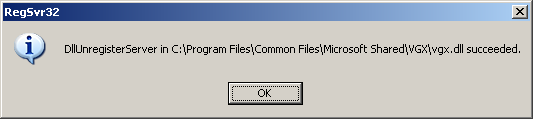
A dialog box appears to confirm that the un-registration process has succeeded. Click OK to close the dialog box. If successful, you’ll get a dialog like this:
Impact of Workaround: Applications that render VML will no longer do so once Vgx.dll has been unregistered.
To undo this change, re-register Vgx.dll by following the above steps. Replace the text in Step 1 with
regsvr32 “%CommonProgramFiles%Microsoft SharedVGXvgx.dll
9/20 revision: See revised update here.
Full Microsoft advisory link here.
On a side note, we were a bit surprised to find out that ISS apparently has had information on this exploit for some unknown period of time, but was working with Microsoft on the issue and today issued an advisory. Their thinking was that this was a responsible disclosure issue, which I understand. We discovered this exploit in the wild at around noon EDT yesterday and posted the code to a closed and vetted security list to start the research process — and this was the first that anyone in that security community had seen or heard of it. Whatever.
Alex Eckelberry
Just for fun, Sunbelt researcher Adam Thomas (who discovered the VML exploit yesterday) has cataloged what is installed with one installation he observed. Epic quantities of junk:
Virtumonde
Trojan-PSW.Win32.Sinowal.aq
BookedSpace Browser Plug-in
AvenueMedia.InternetOptimizer
Claria.GAIN.CommonElements
Mirar Toolbar
7FaSSt Toolbar
webHancer
Trojan.SvcHost
Trojan.Delf
Begin2Search Toolbar
MediaMotor Trojan Downloader
Trojan-Downloader.Winstall
TargetSaver Browser Plug-in
InternetOffers Adware
SurfSideKick
Trojan.Vxgame
SafeSurfing.RsyncMon
Trojan-Downloader.Small
Freeprod/Toolbar888
ConsumerAlertSystem.CASClient
SpySheriff
Trojan-Downloader.Qoologic
Zenotecnico
Command Service
WebNexus
Webext Browser Plug-in
Trojan-Downloader.Gen
Danmec.B-dll
Traff-Acc
EliteMediaGroup
NetMon
TagASaurus
Trojan-Downloader.Win32.Small.awa
FullContext.EQAdvice
Trojan-Clicker.Win32.VB.ij
Yazzle.Cowabanga Misc
Backdoor.Shellbot
Trojan.Danmec
TopInstalls.Banners
Trojan-Dropper.Delf.VA
Adware.Batty
Trojan-Downloader.Win32.Small.cyh
Toolbar.CommonElements
Trojan.Win32.PePatch.dw
Backdoor.Win32.Delf.aml
BookedSpace
In other words, your machine is beyond pwned. (Note that this just happens to be what one bad boy has included as a payload. Anything could be put in there. Just one simple trojan. Or a whole boatload of crap. Also this is a listing from a spyware scan and probably has some overlapping items.)
As Roger Thompson of Exploit Prevention Labs said today to eWeek:
“This is a massive malware run,” says Roger Thompson, chief technical officer at Atlanta-based Exploit Prevention Labs. In an interview with eWEEK, Thompson confirmed the drive-by attacks are hosing infected machines with browser tool bars and spyware programs with stealth rootkit capabilities.
In other news, word on the street is that Microsoft is targeting this flaw to be patched on October 10th, the next patch day — unless things get really bad out there. Hmm…
Late Tuesday morning, Microsoft acknowledged the bug, and said it was working on a fix. “The security update is now being finalized through testing to ensure quality and application compatibility and is on schedule to be released as part of the October security updates on October 10, 2006, or sooner as warranted,” a spokesman said. Other details, however, such as whether IE 7 users were at risk, were not forthcoming.
Link here. MS Security Advisory here.
The security community is engaged on this exploit:
CERT advisory.
ISS advisory.
SANS handler diary entry.
More as I get it.
Alex Eckelberry
Follow-up to the zero day Sunbelt researchers found yesterday:
Secunia advisory issued:
A vulnerability has been discovered in Microsoft Internet Explorer, which can be exploited by malicious people to compromise a user’s system. Link here.
Washington Post article:
A previously undocumented flaw in Microsoft‘s Internet Explorer Web browser is reportedly being exploited by online criminals to install an entire kitchen sink of malicious software on any computer that visits any of a handful of sites currently exploiting the vulnerability. Link here.
Slashdot here.
On Digg here.
eWeek story here.
Alex Eckelberry
Our security research team has observed a new zero day exploit being used to infect systems. Coming from a porn website, this particular one is a vulnerability in VML inside of Internet Explorer.
On a sample Vmware, the following behavior was observed:
The machine was fully patched —
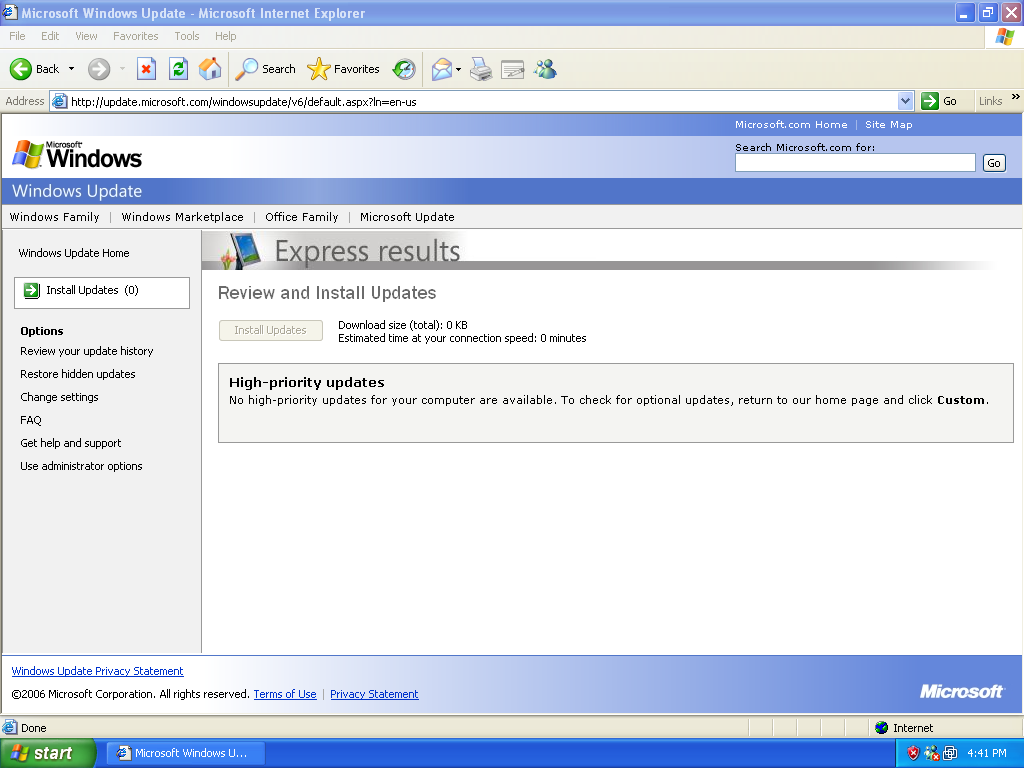
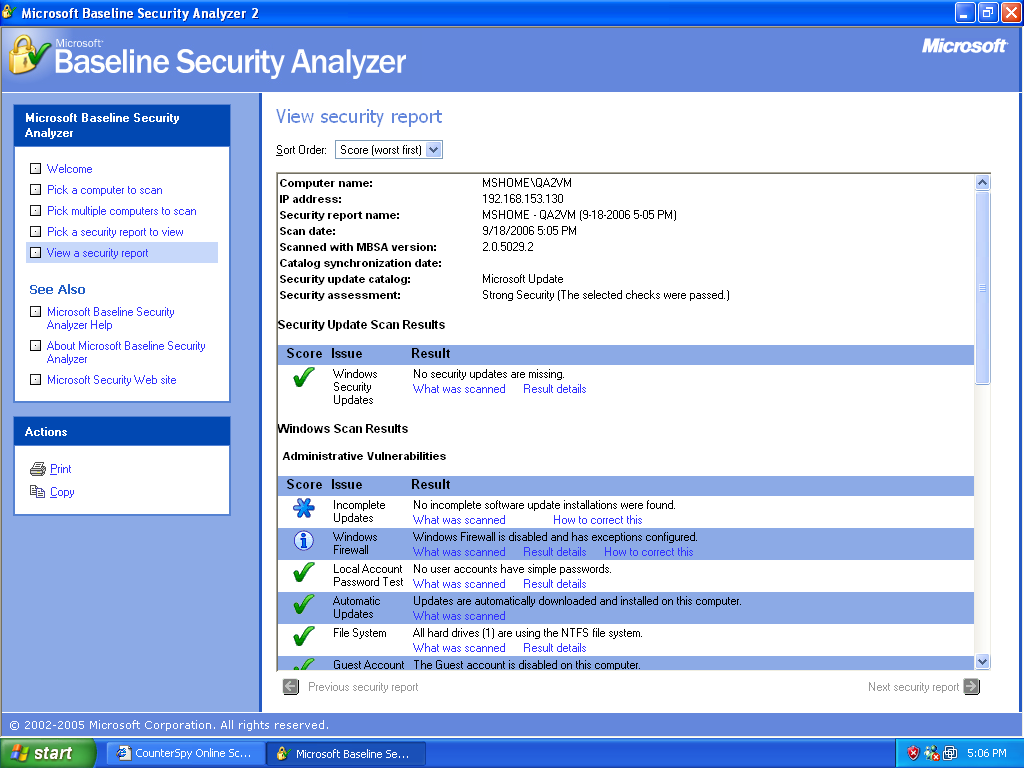
And just to double-check, we ran an MBSA scan which confirmed the box as fully patched:
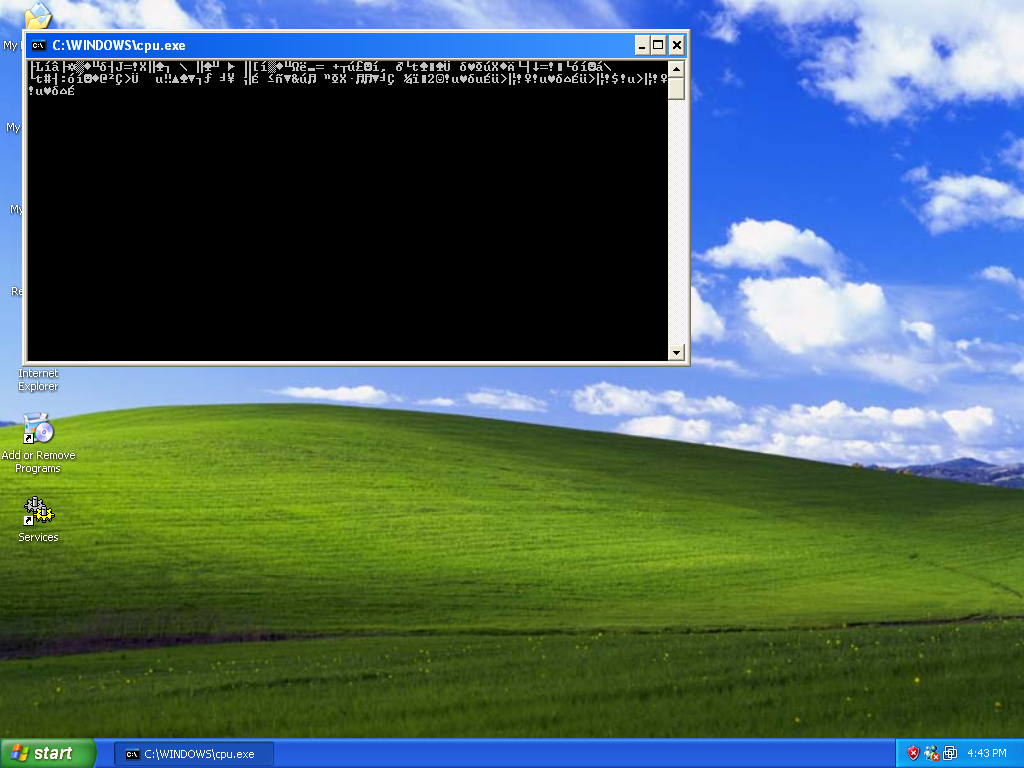
Then, the exploit code proceeds to install spyware.
The exploit uses a bug in VML in Internet Explorer to overflow a buffer and inject shellcode. It is currently on and off again at a number of sites.
Security researchers at Microsoft have been informed.
This story is developing and research is ongoing. Security professionals can contact me for collaboration or further information.
This exploit can be mitigated by turning off Javascripting.
Update: Turning off Javascripting is no longer a valid mitigation. A valid mitigation is unregistering the VML dll.
Eric Sites
VP of R&D
Update: Microsoft advisory here. See our main blog for other updates as well.
David Linhardt is funny. Here’s one of his emails that he sent a couple of years ago to the Spamhaus folks:
…You’re not interested in the truth. You just get your rocks off by illegally interfering with legitimate business and illegally restraining trade. It must be a real power rush for you.
I’m sorry God gave you such a small penis.
(Surprisingly, as a spammer, he passed up a natural opportunity to pitch a solution to this alleged size problem.)
Anyway, apart from the sophomoric humor value in his emails, Dave did something else funny: He sued Spamhaus. And won. But no one really cares, because it was a default judgment in Illinois and SpamHaus is in the UK (at one time, housed on a houseboat on the Thames river).
David can join others who claim Spamhaus is a secret group that “tightly controls free speech on the Internet”. There’s not much else he can do, apart from try and sue in the UK — and I sincerely doubt that he will make that mistake.
Alex Eckelberry
Direct Revenue filed to dismiss the New York AG’s lawsuit a while back, but I’m not sure many have seen the document:
Direct Revenue claims that the New York Attorney General’s lawsuit is over “historic” practices that were “commonplace” at the time, and “utilized by such well-known companies as Google and Ask Jeeves”. Direct Revenue explains that it advertises on behalf of “mainstream companies like JPMorgan Chase, Priceline, and United Airlines.”
More here (and you can view the motion itself here at CollinsLaw).
This one is funny:

So it was free, it was ok? And consumers “affirmately desired to obtain” this software? And they received the software and ads “as promised”? Lollers!!!!
Of course, they are trying to argue a technicality. We’ll just have to see what happens.
Alex Eckelberry
Back in 2001, our chief scientist for security, Joe Wells, wrote a seminal piece on antivirus testing. It’s called Pragmatic Anti-Virus Testing and if you’re involved in testing security products, it’s well worth a read. Joe has an extensive experience in antivirus research and testing, having been involved in this field for almost 20 years at IBM Thomas Watson Labs, Symantec, Trend and other companies. He also founded the Wildlist.
We can talk to technical managers in large corporations who deal with AV problems every day. (Now, there’s a novel idea: ask users what they want to see tested.) This means it’s time to admit
that these people know their jobs and know what they need. In the past, some AV ‘experts’ have interpreted user requests as ‘wants’ as opposed to ‘needs’. (‘We know better than the users. We’ll
give them what they really need.’) This ideology is wrong. We do not know the users’ situation and environment better than they do. When they say they need something, they genuinely do need
it. We must listen to them – recognizing them as the professionals they are. Taking their requests and suggestions into consideration will help us fulfill their needs.There are resources available to us within our own industry. A testing organization can ask an AV company how their product should be tested: QA staff should be asked what they test and how
they do it, and technical support staff should be asked what ‘really’ needs to be tested in a product, based on their experience of the problems they have encountered.
I’ve posted the entire piece here.
On a side note, Joe was recently interviewed by a magazine. They wanted some pictures of him, and of course, he sent pics of himself in his usual ultra-casual clothing.
Well, they wanted him looking more “corporate”. So this morning, Joe comes in for the photo shoot dressed in a suit and tie. But take a look at the tie.

Always the renegade…
ALex Eckelberry
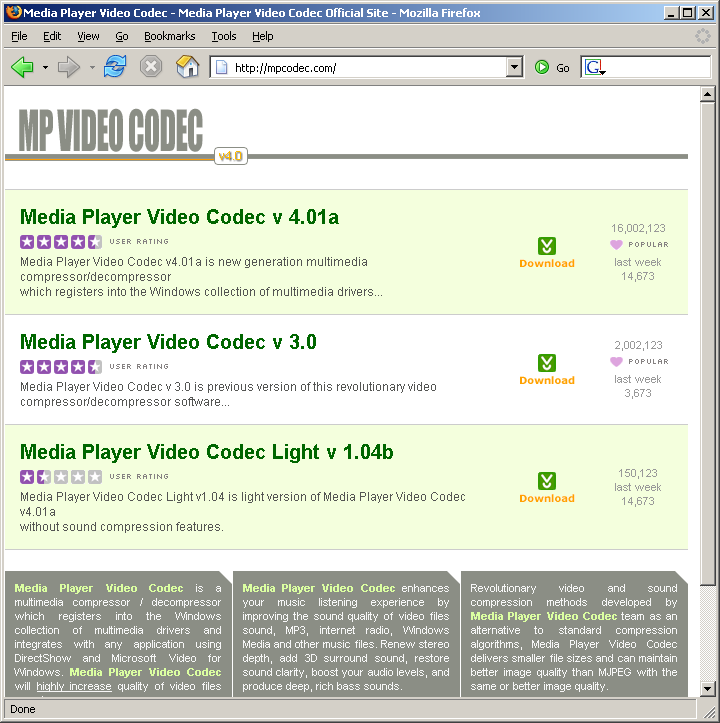
New fake codec site as of 9/12/2006:
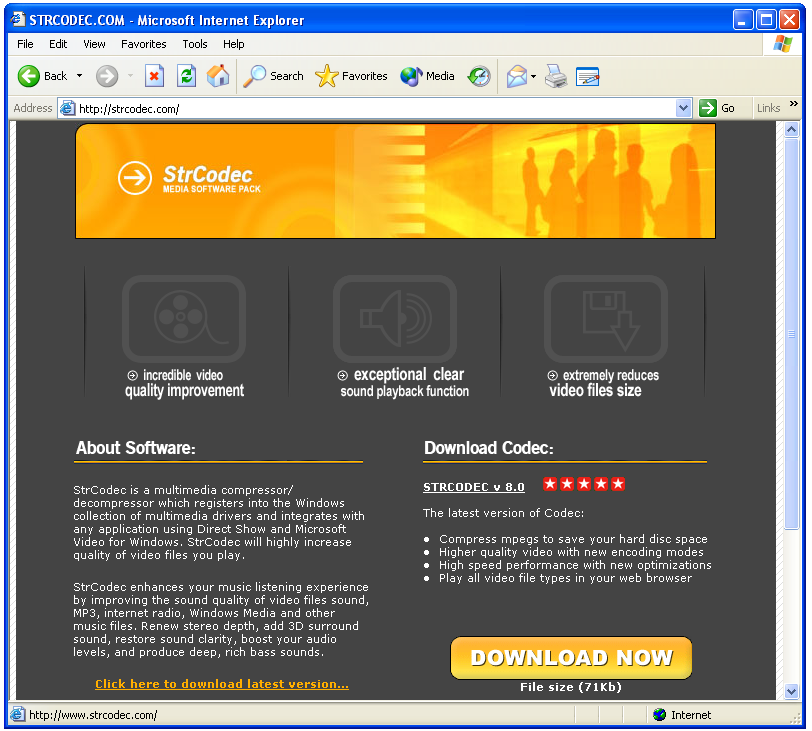
Whois Data:
85.255.118.194
strcodec.com
Marinkovic Petronije
wm @ strcodec.com
Stepojevac CS
Partick Jordan