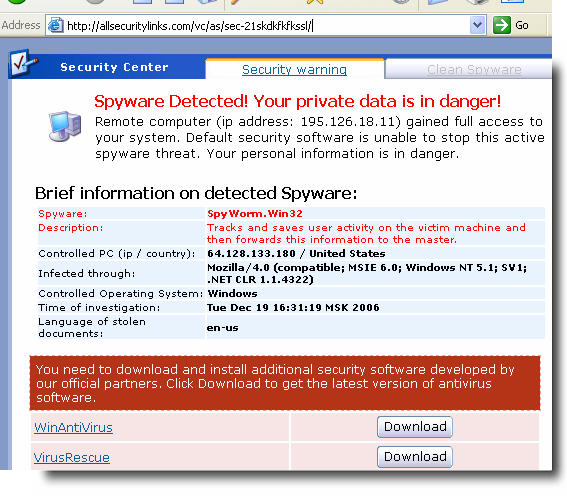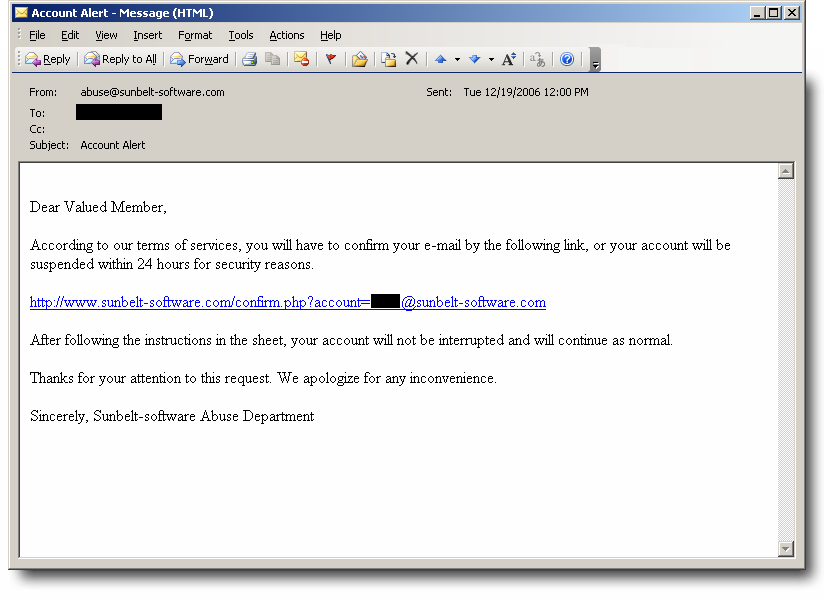
Two new rogue antispyware apps

Two new ones…

Spyware Knight
spywareknight(dot)com

SpySoldier
spysoldier(dot)com

Both domains registered through EST Domains.

Complaint about aggressive, deceptive pop-up advertising for both programs here.

Web page advertising both here.

Both have been entered into the CounterSpy database, and both are now listed on the SpywareWarrior Rogue/Suspect Anti-Spyware page here.

These seem related to another rogue, SpywareSheriff— and even the testimonial pages are ripped-off from download.com:

You can more screenshots of both programs here.

Obviously, please stay clear of these rogue sites and the malware they spawn. If you are infected, the free trial versions of CounterSpy (or the CounterSpy 2.0 beta) should remove them just fine.

Alex Eckelberry
(Credit to Sunbelters Eric Howes and Adam Thomas)

Blogger upgraded

I’ve upgraded to the new Blogger platform. It only took about 8 hours!

Feeds seemed to get a bit funky, I noticed a feed from a year ago got blasted out (why, I have no idea). No, I did not blog about the antispyware coalition today — that was a long time ago.

Now I have to figure out a way to get rid of the Blogger Navbar at the top, which just got dumped in with the upgrade.

Pardon the dust…

Alex Eckelberry

New scam sites

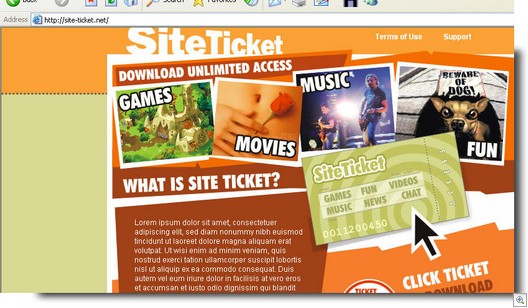
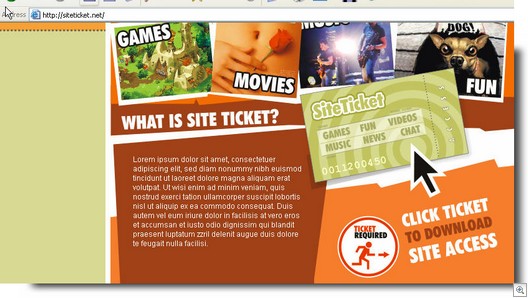
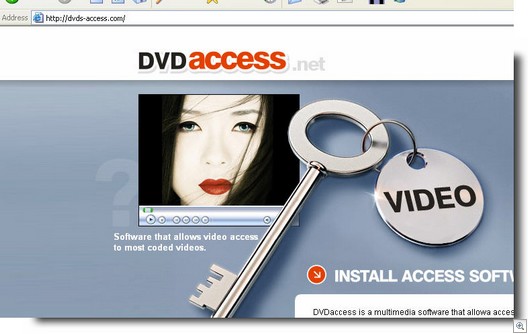
New sites that use fake codecs. These are dnschanger trojans.

DNSChanger Codec Sites
216.255.181.155 dvds-access(dot)com
216.255.181.155 site-ticket(dot)net
216.255.186.5 siteticket(dot)net

56887999987777765444

5654687321598732469618995464a

2139809808df1998818231231231231

The following porn sites are foisting off these fake codecs.
216.255.186.5 adultan(dot)com
216.255.186.5 adultfilmsite(dot)com
216.255.186.5 adultmovieplus(dot)com
216.255.186.5 adultsper(dot)com
216.255.186.5 clubxxxvideo(dot)com
216.255.186.5 contentlocker(dot)net
216.255.186.5 cutadult(dot)com
216.255.186.5 galleryclick(dot)net
216.255.186.5 gallerypictures(dot)net
216.255.186.5 greatadultvideo(dot)com
216.255.186.5 hardcorevideosite(dot)com
216.255.186.5 loweradult(dot)com
216.255.186.5 mega-adult(dot)com
216.255.186.5 siteticket(dot)net
216.255.186.5 sureadult(dot)com
216.255.186.5 xxxallvideo(dot)com
216.255.186.5 xxxmovietour(dot)com
216.255.186.5 xxxteenfilm(dot)com
216.255.186.5 xxxzonevideo(dot)com
216.255.177.54 dontgetporn(dot)com
216.255.177.54 funxxxporn(dot)com
216.255.177.54 playhardmovie(dot)com
216.255.177.54 playxvideo(dot)com
216.255.177.54 playxxxvideo(dot)net
216.255.177.54 superadultfriend(dot)com
216.255.177.54 superporncity(dot)com
216.255.177.54 theadulteye(dot)com
216.255.177.52 adultzoneworld(dot)com
216.255.177.52 ispfiltersporn(dot)com
216.255.177.52 pornissex(dot)com
216.255.177.52 pornxxxfilm(dot)com
216.255.177.52 stephieporn(dot)com
216.255.177.52 worldbestadult(dot)com

Obviously, stay clear of these rogue sites and the malware they spawn. If you are infected, the latest version of CounterSpy (or the CounterSpy 2.0 beta) should remove them just fine.

Patrick Jordan and Alex Eckelberry

Vista cost analysis

Well, quite a read here by  Peter Gutmann:

As a user, there is simply no escape.  Whether you use Windows Vista, Windows XP, Windows 95, Linux, FreeBSD, OS X, Solaris (on x86), or almost any other OS, Windows content protection will make your hardware more expensive, less reliable, more difficult to program for, more difficult to support, more vulnerable to hostile code, and with more compatibility problems.  Because Windows dominates the market and device vendors are unlikely to design and manufacture two different versions of their products, non-Windows users will be paying for Windows Vista content-protection measures in products even if they never run Windows on them.

Link here.  Schneier also weighs in.

Alex Eckelberry
(Thanks Francesco)

Scam sites update 12/26/06

Zlob trojans (fake codecs)  install a program called pmsngr.exe, which is a fake alert generator.

 Fakealert009123

We found pmsngr.exe calling to the following sites:


protectgates(dot)com
 

protectgates(dot)com/gatevc.php?id=dw04          Opens to virusblast(dot)com/?aid=7

protectgates(dot)com/gatevc.php?id=dw03          Opens to antivirusgolden(dot)com/?aid=1338

protectgates(dot)com/gatevc.php?id=dw02          Opens to malwarewiped(dot)com/?aid=247

protectgates(dot)com/gatevc.php?id=dw01          Opens to pestcapture(dot)com/?advid=177

protectgates(dot)com/gatevc.php                          Opens to checkssecurity(dot)com/soft/


acegates(dot)com

acegates(dot)com/gatevc.php?pn=srch0p23total7s2  Opens to allsecuritylinks(dot)com/vc/as/sec1-adls/

acegates(dot)com/gatevc.php?pn=srch0p22total7s2  Opens to popup ads errorsafe(dot)com

acegates(dot)com/gatevc.php?pn=srch0p21total7s2  Opens to winantivirus(dot)com

acegates(dot)com/gatevc.php?pn=srch0p20total7s2  Opens to drivecleaner(dot)com

acegates(dot)com/gatevc.php                                    Opens to allsecuritylinks(dot)com/vc/as/sec-14jdklss/


So here’s an updated list of scam sites.

Security scammers:

IP: 85.255.116.214 
protectionssoft(dot)com       

IP: 85.255.116.214 
asafetypage(dot)com          

IP: 85.255.116.211 
iesecuritytool(dot)com         

IP: 85.255.118.212 
acegates(dot)com   

IP: 85.255.118.212 
protectgates(dot)com          

798654215sdfasf2fjkuklkkjf

5468798436216549843216579

55546666666666687979d

5666666657897772224da

9879888888888888888846546ad23

Zlob fake codec site:

IP: 85.255.116.251 
mediaactivexpage(dot)com  

Patrick Jordan and Alex Eckelberry

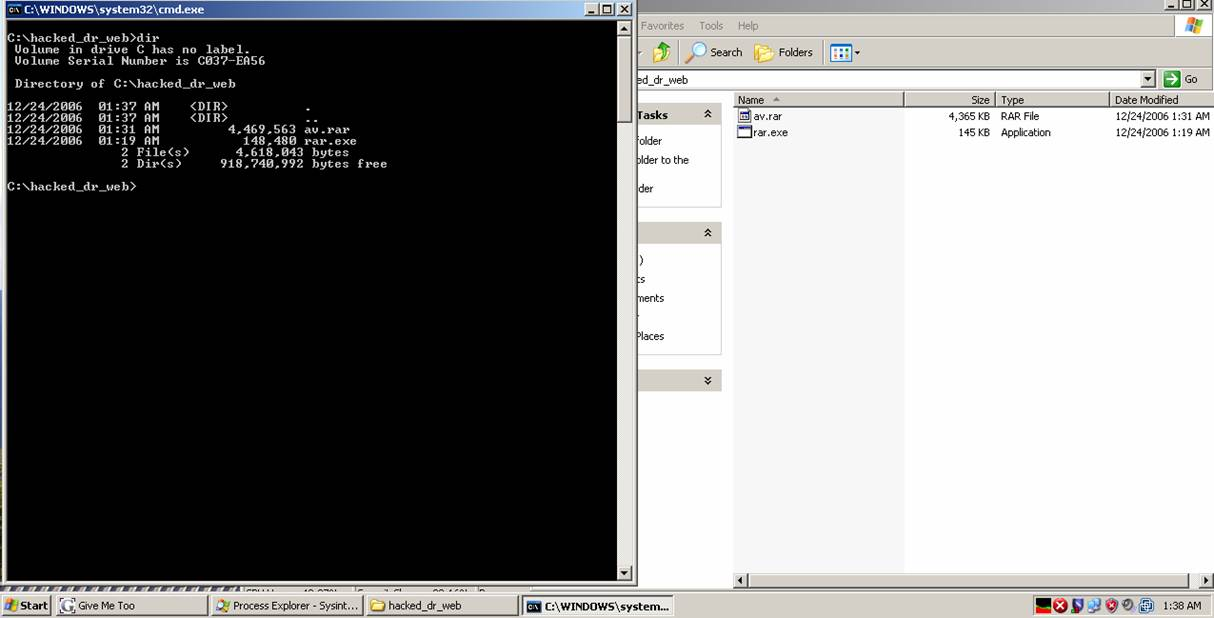
Hacked version of Dr. Web antivirus used in spam bots… developing…

Not too long ago, we saw a pirated version of Kaspersky Anti-virus being downloaded onto infected machines and used in conjunction with what became known to some as “SpamThru“.  

Joe Stewart published a great analysis on this operation:

Anti-Virus Scanning
Like many viruses and trojans, SpamThru attempts to prevent installed anti-virus software from downloading updates by adding entries into the %sysdir%driversetchosts file pointing the AV update sites to the localhost address. In the past, we’ve also seen malware which tries to uproot other competing malware on an infected system by killing its processes, removing its registry keys, or setting up mutexes which fool the other malware into thinking it is already running and then exiting at start.

SpamThru takes the game to a new level, actually using an antivirus engine against potential rivals. At startup, SpamThru requests and loads a DLL from the control server. This DLL in turn downloads a pirated copy of Kaspersky AntiVirus for WinGate from the control server into a concealed directory on the infected system. It patches the license signature check in-memory in the Kaspersky DLL in order to avoid having Kaspersky refuse to run due to an invalid or expired license. Ten minutes after the download of the DLL, it begins to scan the system for malware, skipping files which it detects are part of its own installation. Any other malware found on the system is then set up to be deleted by Windows at the next reboot.

In other words:

1. The machine is infected with the SpamThru trojan.

2. Antivirus programs are disabled from downloading updates.

3. The SpamThru trojan runs a hacked version of Kaspersky AV to kill off any compettiive malware (while making sure to that Kaspersky’s product leaves SpamThru alone).  

4. SpamThru has a field day using the infected machine to send out spam.

Now, it might appear that a rival group to SpamThru might be striking back (though we have no proof to that claim, but we are not seeing SpamThru associated with this new piece of malware). Only these guys are using Dr. Web antivirus instead of Kaspersky.

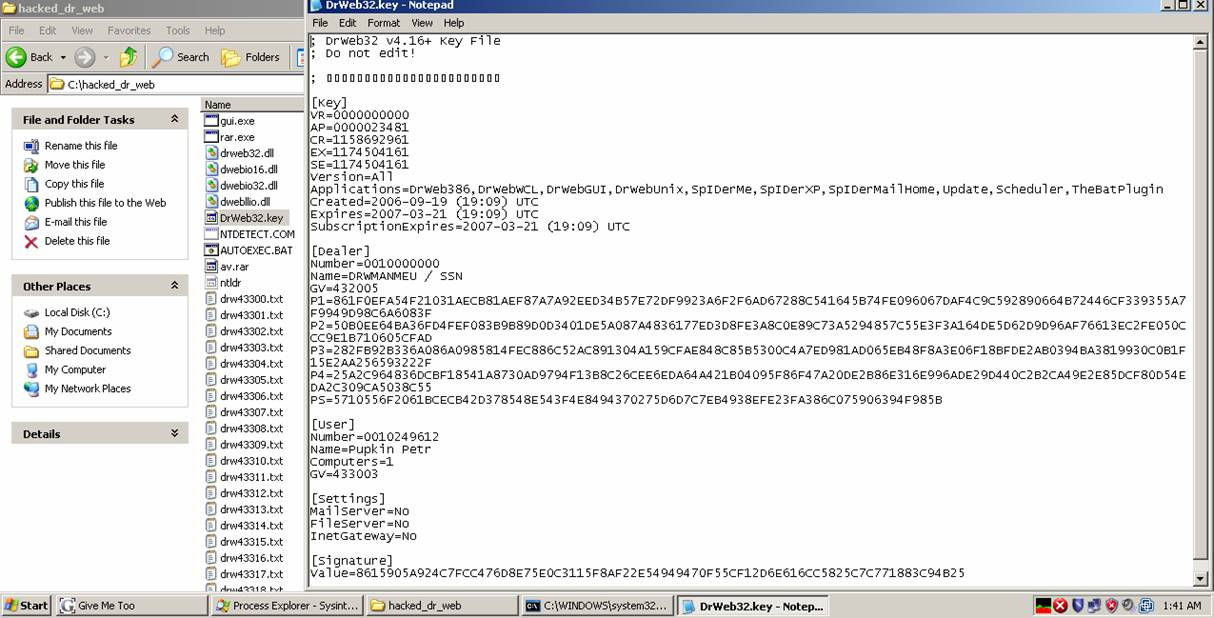
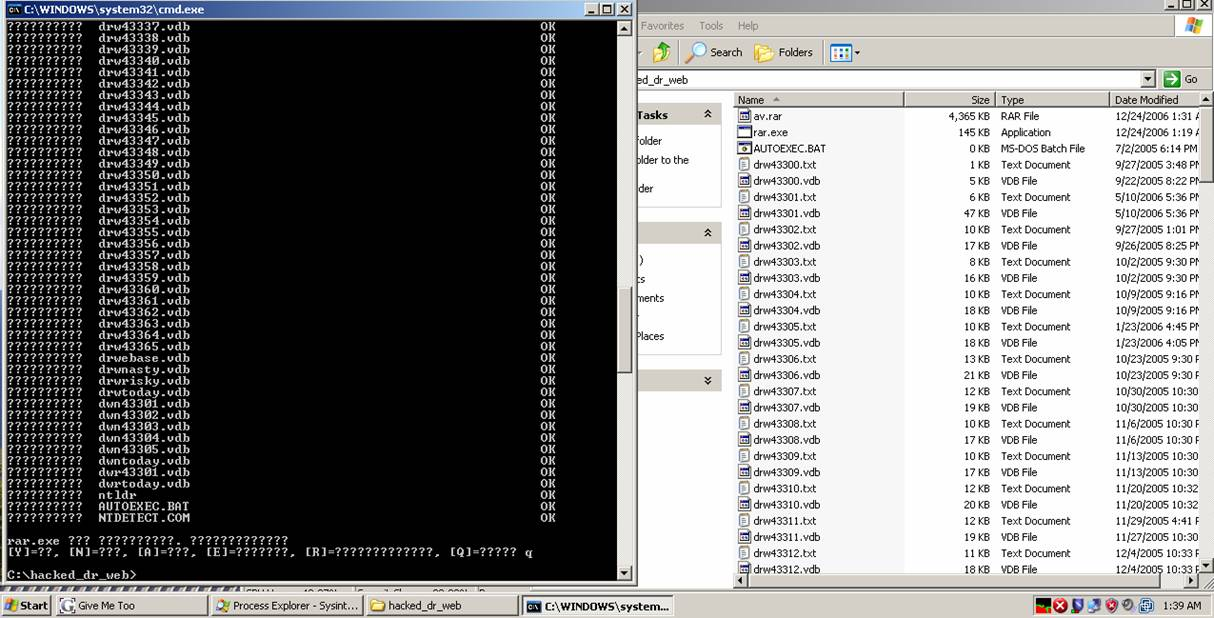
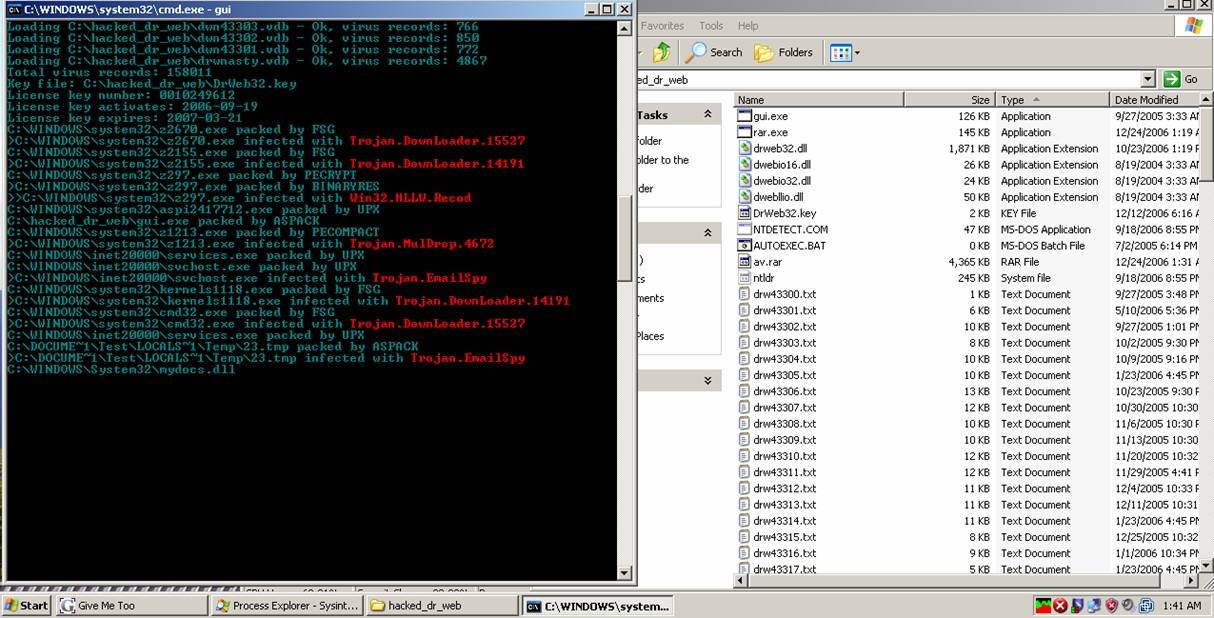
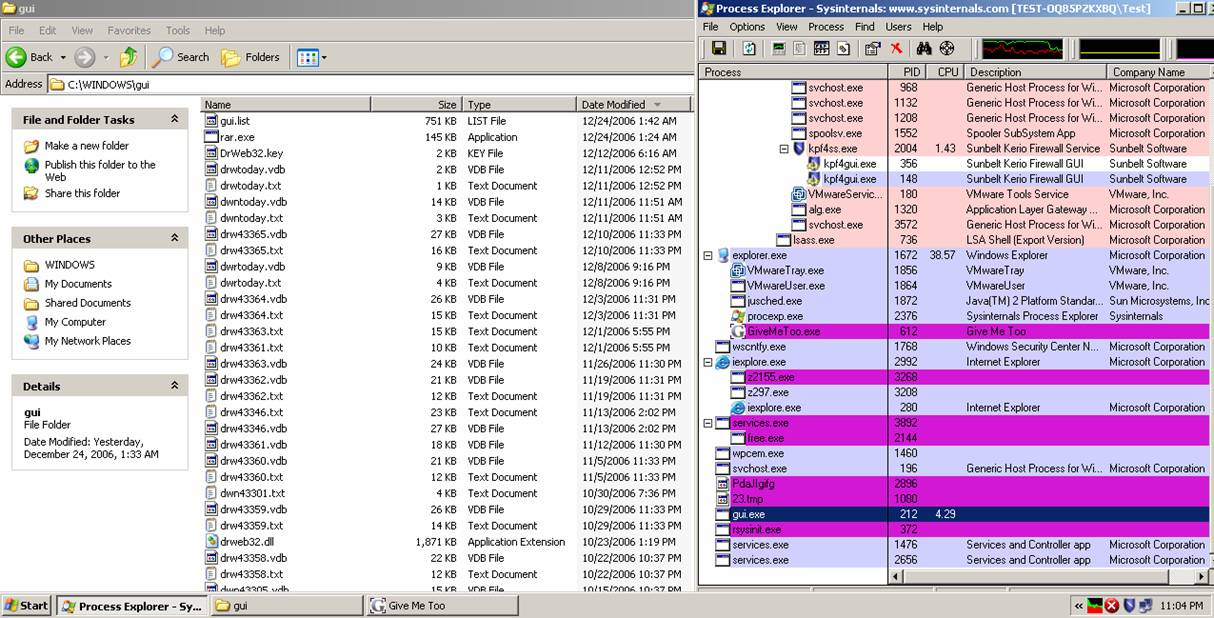
Some pictures . . . Scanner working:

1spamtrojan199888123

2spamtrojan199888123

Key File. Registered to Pupkin Petr?

3spamtrojan199888123

Rar.exe unpacking the av.rar archive

4spamtrojan199888123

Scanner in action . . . In “real life”, it runs silently in the background:

5spamtrojan199888123

6spamtrojan199888123


Adam Thomas and Alex Eckelberry

Not-so-funny “Funny Christmas Video” spam

One of our malware researchers, Francesco, just wrote about a spam email requesting a download of a nasty fake codec. 

A new “Italian only” targeted attack targets users posing as new codecs.  These were spammed via e-mail as “funny Christmas videos” that required the user to download a fake codec.

Once downloaded and installed, it displays some popup saying “sorry, compatible only with Windows Vista”, but unfortunately the trojan is installed already.  Propagation is automatic, meaning an infected person automatically sends the same spam to people in his contacts list (who might in turn think it’s authentic since a “friend” sent it).

While the scripted pages prevent being reached outside Italy (displaying a custom 500 internal server error), the files can be downloaded for analysis.

hxxp://www.newcodecscentral(dot)biz/codec_install.exe

hxxp://www.videocardcodecs(dot)biz/install.exe

hxxp://www.videocodecs(dot)biz/codec_installer.exe

Obviously, stay clear of these dangerous trojans. 

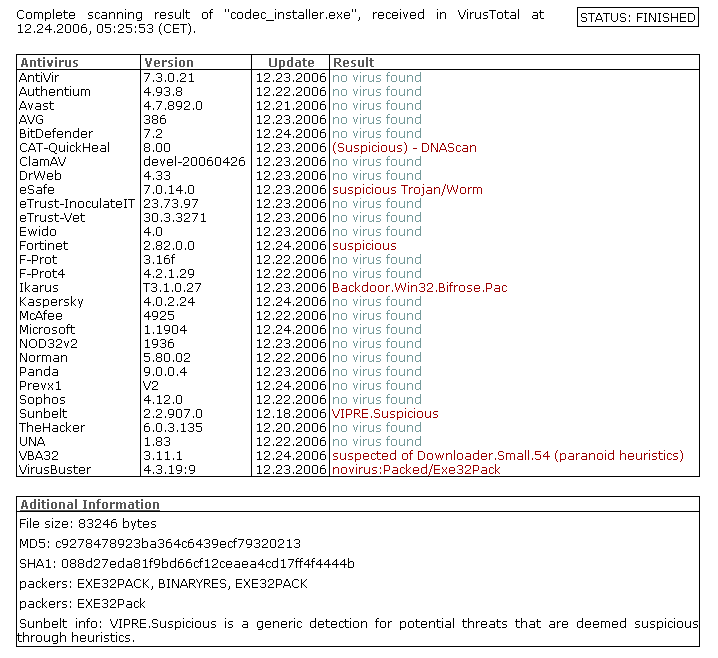
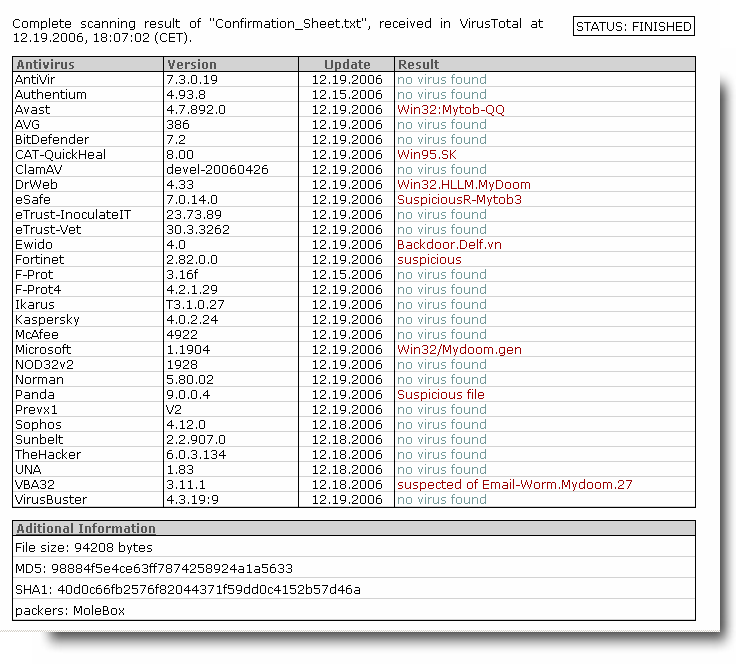
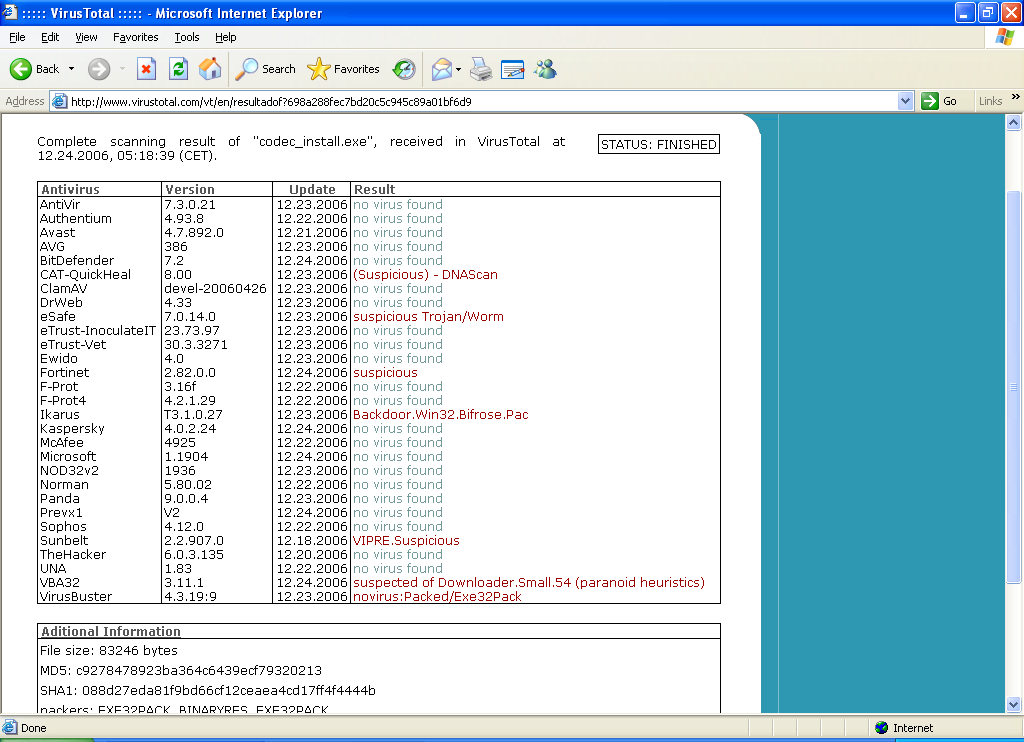
Antivirus coverage is very weak on this new trojan, as can be seen here, here and here.

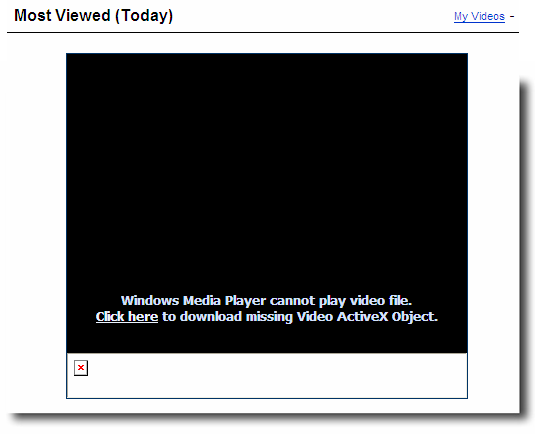
Codec2_99981888333

Alex Eckelberry

Aviv responds

Aviv Raff and I have been going back and forth a bit on my blog post on the “non-exploit exploit”.   You’ll recall I was skeptical about his post about a new Internet Explorer “exploit”, feeling that it really wasn’t a major issue. He’s a good guy and I respect him and I’m going to try and give him a fair shake here. 

His response, with my comments:

1) Nowhere in my post I write that this vulnerability alone may allow a full remote code execution with no user interaction (like the WMF vuln).

That’s true, but you did start all this off with an alarming post entitled “Internet Explorer 7 – Still Spyware Writers Heaven”. 

2) The post headline is just the name of the vulnerability with a mention that I’m going to provide a proof-of-concept exploit.. Nothing scary in that 🙂

Ok, Aviv, you have a point.  I didn’t make it clear in my first blog post (since corrected) that my comment about your “scaring people” had to do with the naming of your first post (see above).

3) There are some ways of a file to get on the user’s system which will not require full write access. For example: http://www.symantec.com/avcenter/attack_sigs/s21235.html . Now, save this file on the user’s desktop as one of the DLL files, and you have made a remote code execution.

I would argue that this is more of a social engineering issue than an exploit. It’s a design bug, but still requires user interaction

Aviv made a valid follow-up comment — “I think we have a semantic problem here. You refer to “exploit” as any “remote code execution without user interaction exploit”. What I refer to as an “exploit” is (according to Wikipedia): ‘In computer security, an exploit is a piece of software, a chunk of data, or sequence of commands that take advantage of a bug, glitch or vulnerability’. I agree that this vulnerability is not critical, but the code I published is still an exploit. 

Yes, I agree with that definition, but it’s all about context here.  So he continues to say “Microsoft usually refers to vulnerabilities as critical only if they may allow remote code execution. I still this is critical enough for them to fix this issue on the Windows XP version.”

Right, I agree with Microsoft in this case — a critical vulnerability is one which allows remote code execution.

In other words, something like WMF, SetSlice and the daxctle exploit — all of which we have seen as ways for crackers to gain access to a system without any user acceptance, are critical exploits.  The “exploit” that Aviv writes about requires a user to proactively acknowledge and accept (and run) a download.  It may be bad, but it’s not nearly as critical as one might be led to believe.  

4) Many spywares are using the startup folders/reg keys as way of loading themselves again when the victim restart the machine. Security products (like yours) looks for changes in those folders/reg keys. This vulnerability is another way for an attacker to load his malicious code and bypass this detection.

Not entirely, if there is a signature generated for the rogue DLL (just like any other piece of malware), we’ll catch it, as will many other security products, regardless of where it loads.  Aviv responds by saying “I agree, but then why do you have a generic startup folder/reg key changes detection mechanism? All I’m saying is that if this issue is not going to be fixed in XP by Microsoft, the security vendors should consider adding a detection for this kind of threat.” He went on to add that AV signatures are used to detect known threats. Behavioral heuristic engines (e.g. startup folders/reg keys changes detection) are usually used  to detect unknown threats.”

He also points out that Microsoft has said they’ll fix this on future OS releases, and that he’s tested IE7 on Windows Vista RTM, and it does not have this vulnerability. 

I think Aviv was right to write about this issue and it should be fixed.  My problem has been with attaching any sense of alarmism to something which is really not a major issue  — there are other bigger fish to fry out there. It goes back to the fundamental illogic:  In order for this vulnerability to be exploited, the remote attacker will have to get something (by permission) on a person’s machine in the first place.   Apparently, I’m not the only one who has this opinion.

Alex Eckelberry

A plethora of porn — and fake codecs

Our good friend Chris Boyd (aka Paperghost) found a site with massive amounts of porn videos, foisting off fake codecs which are actually zlob trojans coming from objectactivex(dot)com .  It also tries to make itself look like YouTube, calling itself AdultTuba.

Check out the screenshots that Chris was kind enough to share with us (with the nasty stuff blacked-out):


Adulttubaedit1-775684

Dreamy1999883899000s12323

So just what is this site?  It’s called dreamsexy(dot)info.

As Patrick discovered after a little digging around, these guys have been spamming forums with bestpornvideosonline(dot)info which redirects to dreamsexy(dot)info.  You can see this from this google search (don’t click on the links inside the search, please).  

It goes without saying that you should stay clear of this site and the malware it spawns. 

And mad props to PaperGhost.

Alex Eckelberry and Patrick Jordan

The non-exploit exploit

Aviv Raff is a smart guy and I respect his work.  But he does seem to be making a mountain out of a wee molehill.  

Back in November, he wrote an alarming blog post entitled “Internet Explorer 7 – Still Spyware Writers Heaven”, which made the argument that there’s an “exploit” in IE 7 because when IE loads DLLs, it does not provide the full path to some.  When IE can’t find the DLL, Windows will search for a DLL with the same name.  Hence, a malware author could replace a legitimate DLL with a naughty DLL.  

His blog post elicited some light discussion on various security lists, but that was about all I saw about it.  However, today he came out again on this subject, with proof of concept code for this “exploit”. 

Now, I wouldn’t have paid much attention to this, except that in his original post, Avi used a really scary headline, which I really don’t think was warranted. I’ve seen my fair share of crap-in-your pants exploits. This is not one of them.

Remember that in order for a rogue DLL to get on a system, the malware author would need to have full write access to the system. It’s also not trivial to write such a DLL.

Now, the following argument could be made:  “Alex, you moron: a trojan could get installed on a person’s machine, which would have as its payload this rogue DLL”.  Yes, that’s true.  But how is that different than any other malware?  How the hell did the trojan get on the person’s machine in the first place?  The user had to allow it to get in.  Heck, if the malware author can get a trojan on a machine, why not have that be the nasty bugger which ruins your life? Do you see the illogic here?  

In other words, this is not like the infamous WMF exploit, which blasted a hole right into a user’s system by simply visiting a website.

I’ve been exchanging emails with Rob Franco (a good guy btw) on the IE team, who said “the reason that this behavior isn’t a “security vulnerability”, is that the Aviv [Raff] needs to already have write access to your system to get his code to run the way that he describes…I doubt that this will ever become a spyware writer’s “weapon of choice” because frankly, coding a rogue system DLL from scratch is probably one of the harder ways I can imagine for a badguy to get their code running.”

Rob agrees with Raff that security vendors need to keep a lookout for these types of threats, adding that “at the same time, spyware-scanners should probably keep a look out for suspicious DLLs as there’s no end to the creativity of attackers.”

I’m sure this minor bug will be fixed in an update in the near future.  In the meantime, as always, continue to practice good basic security habits.

Alex Eckelberry

I hate bullies

Keep in mind that the RIAA is still up to its jackboot bullying tactics.   Here’s the story:  A mother of 5 pushes back against the RIAA, so they drop the suit, only to turn around and go after the kids.

The five companies suing Santangelo, of Wappingers Falls, filed a motion Tuesday in federal court in White Plains asking Judge Colleen McMahon to dismiss the case. Their lead counsel, Richard Gabriel, wrote in court papers that the record companies still believe they could win damages against Santangelo but their preference was to “pursue defendant’s children.”

Santangelo’s lawyer, Jordan Glass, said the dismissal bid “shows defendants can stand up to powerful plaintiffs.” He noted, however, that the companies were seeking a dismissal “without prejudice,” meaning they could bring the action again, “so I’m not sure what that’s worth.”

Link here (via boingboing).

I’m all for protecting IP (heck, I make my living off of IP), but can’t the RIAA figure out how this stupid and vicious campaign is hurting them?  What a PR fiasco.  And what a bunch of idiots.

Alex Eckelberry 

More scam sites — 12/20/2006

New Zlob trojan fake codec sites

IP: 85.255.116.254 
objectactivex(dot)com         

IP: 85.255.116.253 
imagemediaobject(dot)com  

IP: 69.50.188.105   
activexsource(dot)com        

Secscam1239980812312312312

Secscam1239980812312312312123123

1108098123lldl6549876313

Bonus! Another sleazy security scammer:

IP: 85.255.116.212 
topsecuritypage(dot)com     

9901230981ldfkjsiweru123

Obviously, please stay clear of these rogue sites and the malware they spawn. If you are infected, the latest version of CounterSpy (or the CounterSpy 2.0 beta) should remove them just fine.

Patrick Jordan and Alex Eckelberry

A techie Charlie Brown Christmas tree

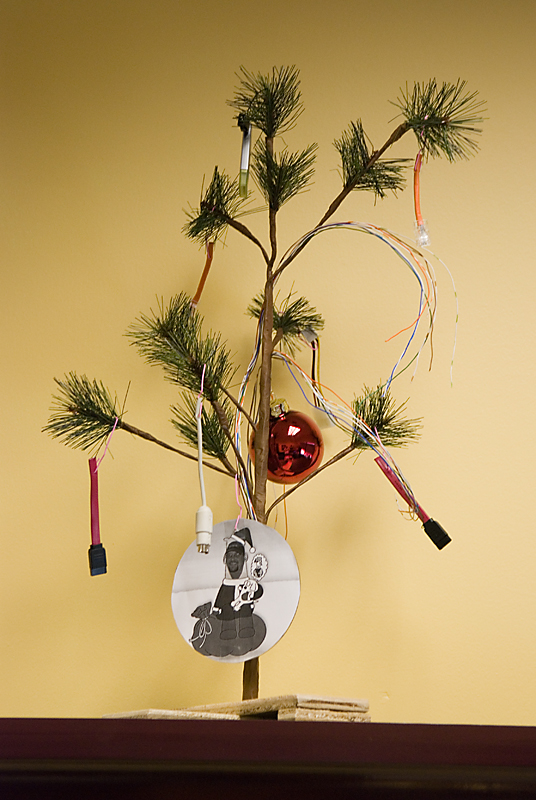
Here’s what to get your boss for Christmas:  A Charlie Brown Christmas Tree.  In this case, a techie Charlie Brown Christmas Tree. A gift to one of our VPs from some folks in his department.

Cb_tree

Cb_tree2

Yes, we have entirely too much fun here. 

Alex Eckelberry
* a “Charlie Brown Christmas Tree” is a reference to the pathetic tree that Charlie Brown had in the old TV show back in the 60s.

Big happy scam party

More fun scam sites touting fake codecs and the like.

New Zlob trojan fake codec sites

IP: 217.107.218.241           
vaxcodec(dot)com  

IP: 85.255.116.252 
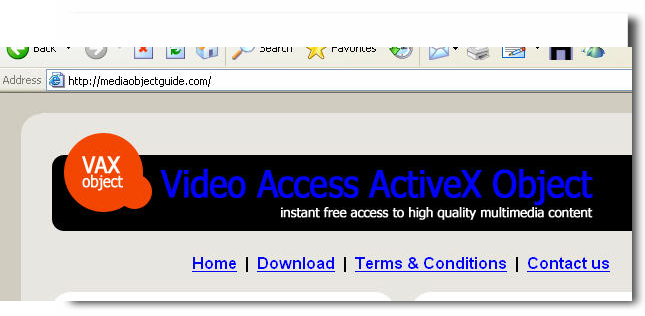
mediaobjectguide(dot)com   

IP: 85.255.118.212 
allsecuritylinks(dot)com      

IP: 85.255.118.212 
alltruesoftware(dot)com       

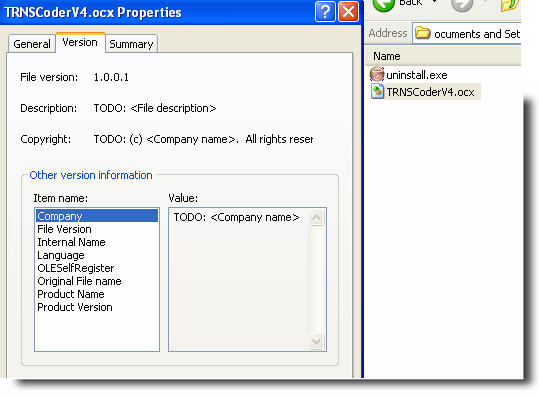
New Trojan.DNSChanger (rootkit) sites: 

IP: 69.50.170.102   
accessvid(dot)net   

IP: 69.50.170.102   
siteentrances(dot)com        

IP: 69.50.170.101   
vids-access(dot) com            

IP: 69.50.170.101   
sites-entrance(dot)net         

IP: 69.50.170.100   
sites-entrance(dot)com       

IP: 69.50.170.100   
vidaccess(dot)net   

IP: 69.50.170.99    
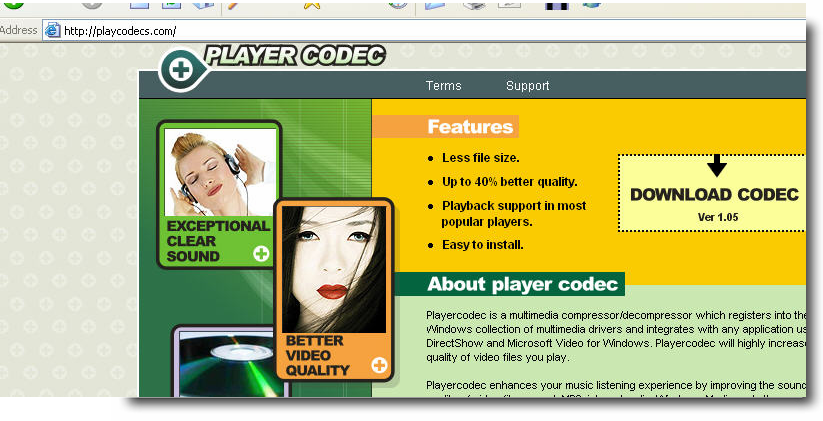
playcodecs(dot)com           

IP: 69.50.170.99    
sitesentrance(dot)com        

IP: 69.50.170.98    
playerscodec(dot)com         

IP: 69.50.170.98    
site-entrance(dot)net

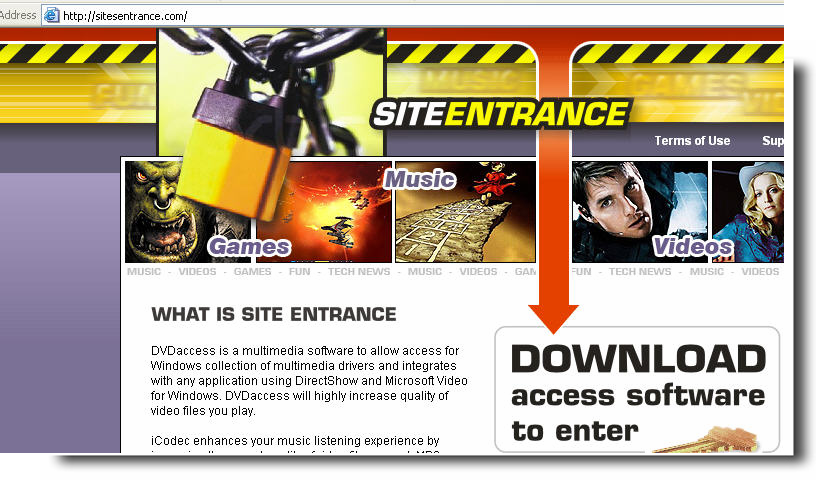
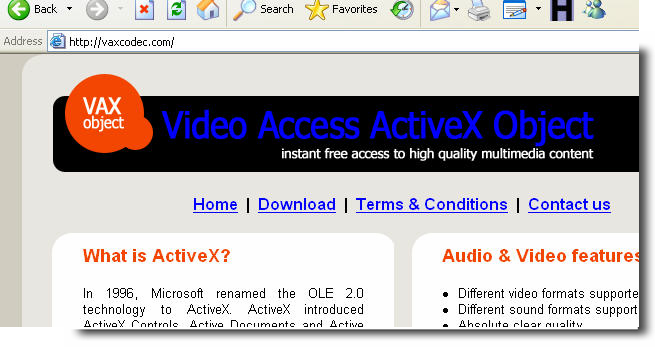
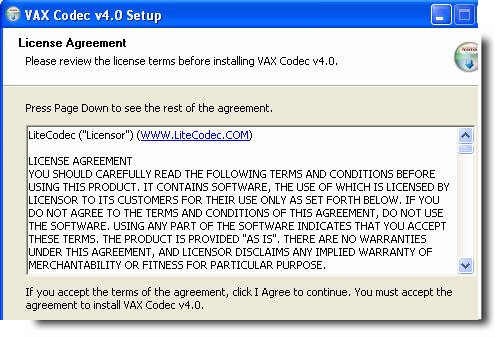
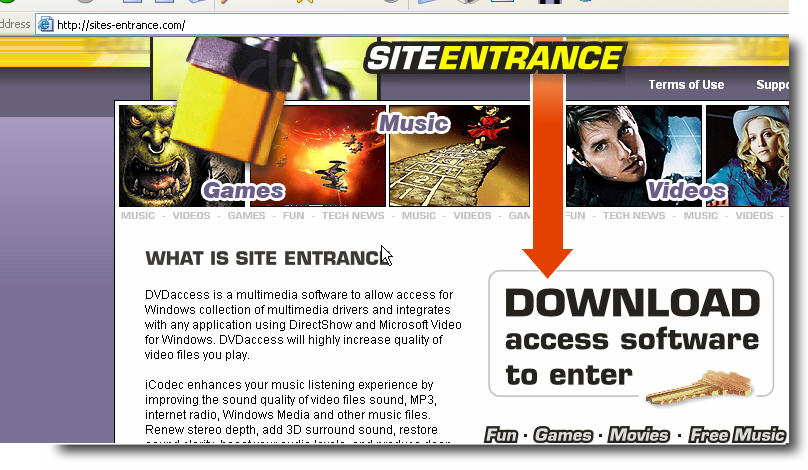
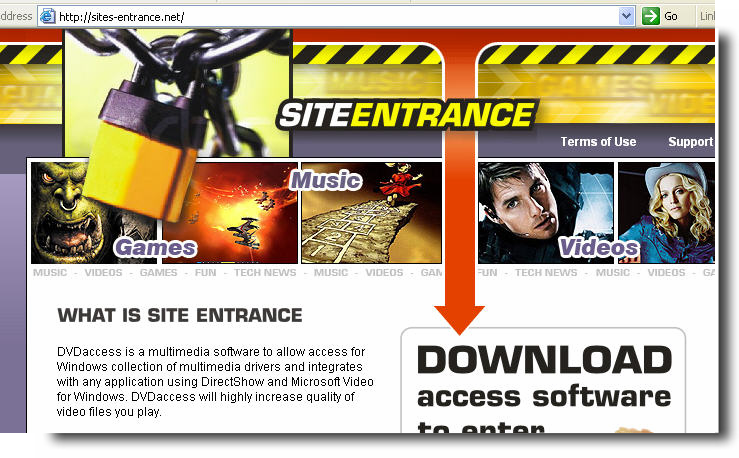
As you can see from our “chiclets” style graphics layout below, a number of these sites are virtually identical, except for a different name.            

1231299982434823488123410980980980981230987098709870987asdfws234827304987098sadlfasdfh1230987098asdfasdf123123898912398709asdfasdfhjkh12379871238080980afs9df8091823123kjksdjf12308098llllllllllllasdf12318999912399999123098sdfasdfklkjlkj1231230986546879879879876543546532132130098888888fdsdfsdf321657987dwfs635432165sdf1254654asdfsadf654879werwer3654328123198798asdf879182387dfscvsdf89

Obviously, please stay clear of these rogue sites and the malware they spawn. If you are infected, the latest version of CounterSpy (or the CounterSpy 2.0 beta) should remove them just fine.

Patrick Jordan and Alex Eckelberry
(With an additional hat tip to Suzi Turner)

Skype trojan

Websense has a writeup on a skype trojan that a number of security researchers have been discussing over the past couple of days.  It was originally thought to be a worm.

Yesterday Websense Security Labs reported on our blog that there was a potential Worm propagating via Skype (see: http://www.websense.com/securitylabs/blog/blog.php?BlogID=101). After investigation we have discovered that this is not a self propagating worm and is actually a Trojan Horse.

After discussions with the very helpful Skype security team, the behavior of this Trojan using the Skype API is as per the specifications of the API. The end-user who is running Skype does get notified that a program is attempting to access it and must acknowledge it.

*there is no vulnerability in Skype at this time that has been uncovered*

Link here.


Sunbelt Weekly Tech Tips

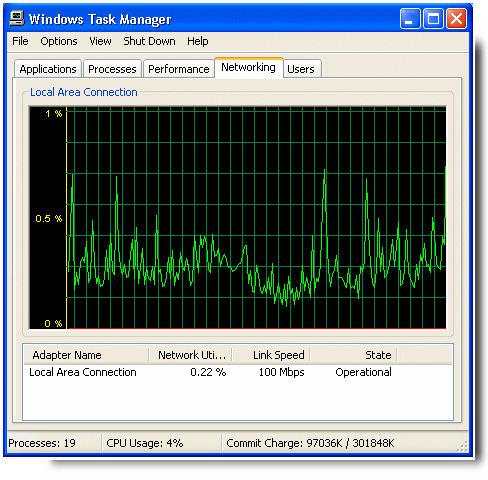
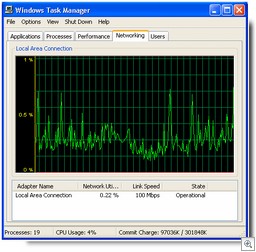
Networkingtab120888123123How to use the Networking Tab in Task Manager
You can use the Networking tab in Windows XP Task Manager to get a visual representation of the traffic occurring on your local network connection. To access it, do the following:

  1. Right click the taskbar and select Task Manager.
  2. Click the Networking tab.

You’ll see a graph that indicates network utilization. Underneath it, columns show the network adapter name(s), percentage of network utilization in real time, the link speed for each adapter, and its state (whether it is currently operational). By default, total bytes sent and received are shown in the graph, but you can have it show bytes sent and bytes received separately, by clicking the View menu and selecting Network Adapter History.

You can also select many more columns to display. Click View and select Display Columns. For example, you can show the total bytes and/or bytes sent and bytes received so that you have the total numbers in addition to the graphic representation and percentage utilization.

The Networking tab is handy for diagnosing connectivity problems that may be related to network congestion. For more information about what each column represents, click here

Store your Favorites online with Windows Live
There are so many Windows Live services that you may not be aware of some of them. Did you know that you can store your favorites online so they’ll be accessible anywhere, no matter what computer you’re using? If you have a Windows Live ID, just go to http://favorites.live.com and sign in. You’ll need to accept the terms of use agreement, Then you can import your existing favorites on your local computer to your Windows Live account. Just click the Import option in the Add menu at the top of the page. Adding new favorites is simple, too.
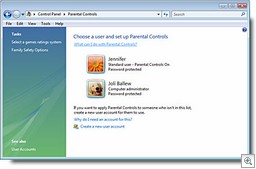
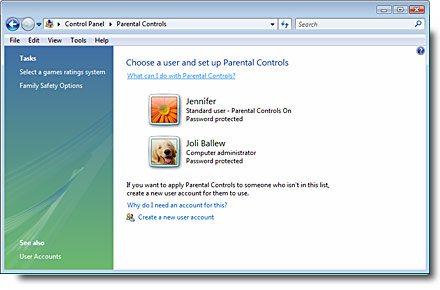
Parentalcontrols123999888Parental controls in Vista put you in charge
In homes with young children, allowing the kids to benefit from the educational value of the Internet without exposing them to its dangers is a big concern. Vista lets you set parental controls on your kids’ user accounts (this works only for local computer accounts, not domain accounts). This is done via the Set Up Parental Controls option in Control Panel. On a per-user basis, you can configure settings to specify which Web sites are allowed, as well as allowed types of content. You can set time limits for when the computer can be used, what games can be played (based on their rating, content or title) and block programs by name. You can also have activity reports recorded that you can review. For more information, click here

Patch fixes vulnerability in wireless networking cards
A while back, there was a big uproar over the fact that some wireless networking adapters built into laptop computers had a vulnerability due to the fact that they start scanning automatically for wireless networks when you reboot the computer or when it wakes up from hibernation. Microsoft has released a patch for XP SP2 machines to fix the problem, but it wasn’t included with the Patch Tuesday updates. You have to manually download and install it, at least at this time. If you’re using a laptop with embedded wireless, it’s a good idea to do so. You can get it here.

Can I remove my user information from Windows Messenger?
You may find that after using Windows Messenger, your user name is displayed in the list of Windows Messenger users. If you want this want this information private, you can delete your user name from the list that Windows Messenger saves. How to do it depends on whether the computer is a member of a workgroup or a domain. Here’s how:

  1. Click Start | Control Panel.
  2. Click User Accounts.
  3. On a workgroup computer, click your user account in the list. Under Related Tasks, click Manage my Network Passwords. Select the user account in the Stored User Names and Passwords box and click Remove.
  4. On a domain computer, click the Advanced tab, click Manage Passwords, and in Stored Users and Passwords, select the user account and click Remove.
  5. Click OK.
  6. Click Close.

Now your user name shouldn’t appear in the list in Windows Messenger.

Can’t synch offline files as you expect in XP
If you try to synchronize your offline files on your Windows XP computer and get an error message that says “More data is available” or “The system cannot find the file specified,” it may be that a cache has become corrupted. There is a hotfix available that addresses this problem, as long as you have SP1 or SP2 installed. To find out how to get the hotfix, see KB article 903891.

How to copy data from a corrupted profile to a new one
If your user profile becomes corrupted, you can copy the files and settings from the old profile to a new one. This doesn’t apply to Outlook Express email messages and addresses. For instructions on how to create the new profile and then copy the relevant files to it, see KB article 811151.

XP stops responding at the Welcome Screen
If your computer stops responding (hangs up) when the Welcome screen is displayed after a reboot, and the keyboard and mouse stop working, you might receive the following message after you restart again: “System restart has been paused. Continue with system restart. Delete restoration data and proceed to system boot menu.” This happens because the computer goes into hibernation and accesses a corrupted memory snapshot. For instructions on how to fix it, see KB article 294427.

Internet enabled surveillance cameras can catch burglars in the act
If you’ve installed Internet enabled surveillance cameras that can be accessed via the web at your home or business, you probably already know that they can keep you apprised of what’s going on when you’re gone. A Brazilian businessman recently saw a criminal burglarizing his house, watching on his laptop while he was traveling in Germany, and police were able to get there in time to catch the bad guy. Link here.

Gartner predicts Vista will be the end of Windows
A report released by the Gartner research firm earlier this month predicts that Vista will be Microsoft’s last big operating system release. Many in the IT industry are, to put it mildly, a bit skeptical. Gartner’s rationale is that operating systems will become more modular, with “more flexible updates.” Of course, Microsoft has been releasing incremental updates for years (hey, Gartner guys, that’s what service packs are all about). Of course, crystal balls are notorious for being a bit inaccurate.

Vista update fights product activation crack
Last week, we told you about a reported crack for the Vista anti-piracy mechanism. There are already several cracks out there that attempt to bypass product activation. This week Microsoft released an update to Vista that’s supposed to combat the “Frankenbuild” product activation workaround. Read more here.

Hackers selling Vista exploits for big bucks
Once upon a time, hackers did their dirty work just for the fun of it. Now they’ve gone commercial. It’s been reported by Trend Micro that members of the hacking underground are trying to sell exploits for Windows Vista. The price tag: up to $50,000. Bad guys can also buy stolen personal data from the same sources; that’s where much of the information stolen in phishing attacks ends up. Read more here.

Are You An Electronic PackRat?

This is the time of the year when many of us seem to accumulate a lot more “stuff” to add to our collections. Holiday gifts that we may or may not really want, end of year sales that we just can’t resist, those little “pick me up” presents to ourselves to counter the winter doldrums, whatever the reason, it’s likely that come spring cleaning time, you’ll find yourself with closets and shelves that are more crowded than they were a few months ago.

Some self-disciplined folks have no problem keeping their lives clutter free. Those lucky souls are the ones who can ruthlessly root out all the unnecessary possessions that are taking up too much space and consign them to the trash bin or the Salvation Army sack without even a twinge of remorse. For others, it’s not quite as easy.

I’m one of those people who’s not comfortable unless my surrounding are nice and organized. I like a place for everything and everything in its place. But it’s hard to reconcile that compulsion with another I have: to never throw away anything that might still have value or be useful to me or someone else in the future. Thus my closets, drawers, garage and attic are overflowing with nicely organized things that I’ll probably never use again.

I admit it: I’m something of a packrat – although not as bad as some people I’ve known, who save things that couldn’t possibly ever be of use to them again. For example, when my mom passed away and I had to go through all her belongings in preparation for selling the house, I found boxes and boxes of old receipts that had long outlived their tax or other recordkeeping purposes (I’m talking about things like grocery store receipts and utility bill stubs from thirty years before). Hmmm … maybe you’re beginning to see where my own packrat tendencies came from.

In this electronic age, those of us who like to keep things have the perfect venue: our computers. We can collect digital photos or songs or other files in the same way we collect coins or stamps or guns or dolls in the “real world.” And with hard disk space getting cheaper all the time (a Maxtor 500 GB SATA drive can be had for $149 – that’s about 29 cents per gig), it’s tempting to keep everything. And with digital data, you can keep several copies of everything. Just to be on the safe side.

Consequently, we electronic packrats find our gargantuan disks filling up quickly, with music, video, pictures, documents, archived email and so forth. It’s fun to amaze my friends by going back and reproducing a message I received ten years ago. But what if you were required by the government to keep copies of all your electronic data? That’s exactly the situation that businesses – and maybe even individuals – are likely to eventually find themselves in.

Data retention laws are gaining ground fast. At the beginning of this month, new federal rules went into effect that prohibit companies from deleting data that could be relevant in a lawsuit. In other words, deleting the wrong file could subject individuals and businesses to the same penalties as shredding paper documents that might be later asked for by the court. The good news is that this law contains a “safe harbor” provision that says that absent exceptional circumstances, a court can’t impose sanctions on a party for failing to provide electronically stored information that was lost as a result of routine, good-faith operation.” Many breathed a sigh of relief at that. The “gotcha” is that the law requires you to retain data not just after a lawsuit is filed, but if litigation is “reasonably anticipated.” You can read more about the new rules here.
Of course, ISPs are already required to retain a good deal of information. And the European Union is way ahead of us when it comes to data retention; their parliament approved a requirement a year ago requiring ISPs, phone companies and VoIP providers to maintain information about all electronic messages sent and phone calls made, for up to two years.

Keeping electronic information around forever is a two-edged sword. Certainly we’ve all encountered frustration when dealing with some business that claimed to no longer have our records, but having all that data out there – especially personal and financial data – also puts us all at risk that it will eventually be accessed by the wrong person. Privacy of any kind is quickly becoming a thing of the past.

Of course, there are a lot of persuasive arguments in favor of data retention requirements. It will help us detect and prosecute terrorists, it will help us protect consumers, we need to do it “for the children” to catch pedophiles. And masses of information that contain everyones’ email messages, phone calls, credit card purchase record, travel history, etc. will indeed help with all those pursuits. But at what price to society and individual liberties? That’s what remains to be seen.

What do you think? Are you an electronic packrat? If so, has long term saving of data saved your skin on at least one occasion?

Or does all that info just sit there taking up space?

Should the government be allowed to be an electronic packrat too, creating huge databases that detail every aspect of our lives? Are the benefits worth the risks?

Should private businesses be required to keep data such as all its employees’ emails and records of their phone calls, even when no litigation proceedings have been initiated? 

Deb Shinder, MVP