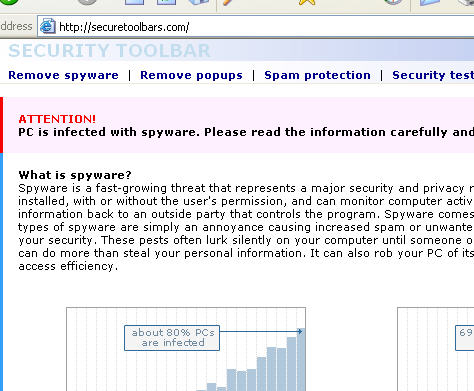
Electronic lottery notifications are always fake. Period.

I got this question today from a reader, which I will print verbatim here:

how do i know if ‘the electronic mail lottery award notification i have received on email is valid and not fake

This person most certainly found my blog through a Google search.

So, for the benefit of other searchers, let me make a few facts of life clear:

1. Electronic lottery notifications are always fakes

2. Offers to pay you lots of money for working at home are worthy of trashing. In some cases, you’re going to become a mule.

3. Offers to help get a bunch of money out of some Nigerian agency are similarly frauds.

4. Offers to help in some kind of import/export deal are frauds.

5. Anything that promises money for little or no work is a lie. The only people who make huge profits for little or no work are criminals, politicians, oil company and pharmaceutical executives. 

Alex Eckelberry

The creativeness of spammers

Article in the NY Times this morning from Brad Stone (who recently moved to the Times from Newsweek):

You’re not the only one. Spam is back — in e-mail in-boxes and on everyone’s minds. In the last six months, the problem has gotten measurably worse. Worldwide spam volumes have doubled from last year, according to Ironport, a spam filtering firm, and unsolicited junk mail now accounts for more than 9 of every 10 e-mail messages sent over the Internet.

Much of that flood is made up of a nettlesome new breed of junk e-mail called image spam, in which the words of the advertisement are part of a picture, often fooling traditional spam detectors that look for telltale phrases. Image spam increased fourfold from last year and now represents 25 to 45 percent of all junk e-mail, depending on the day, Ironport says.

Link here.

Alex Eckelberry

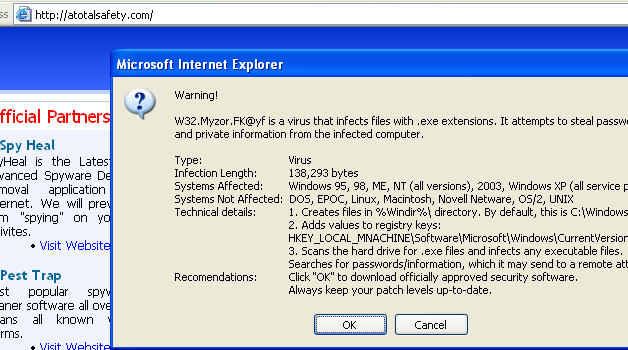
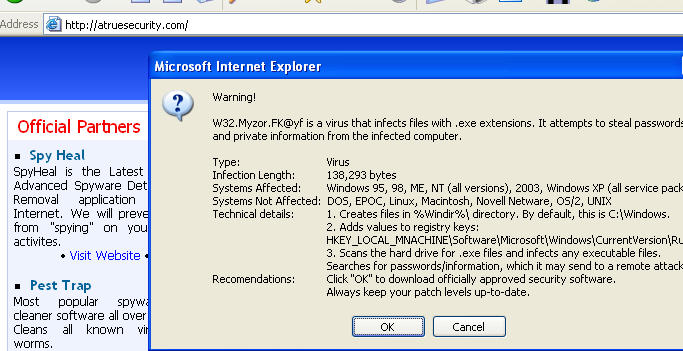
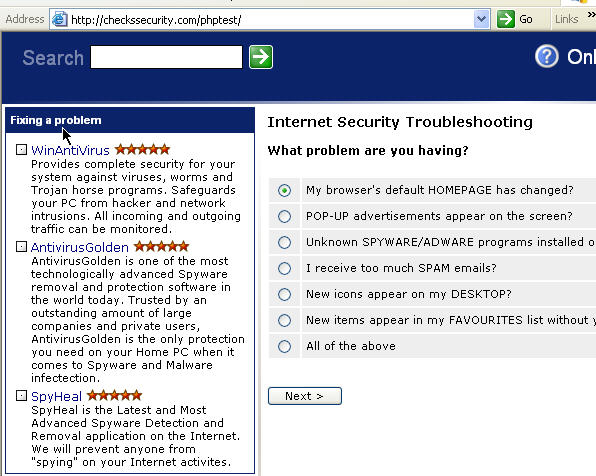
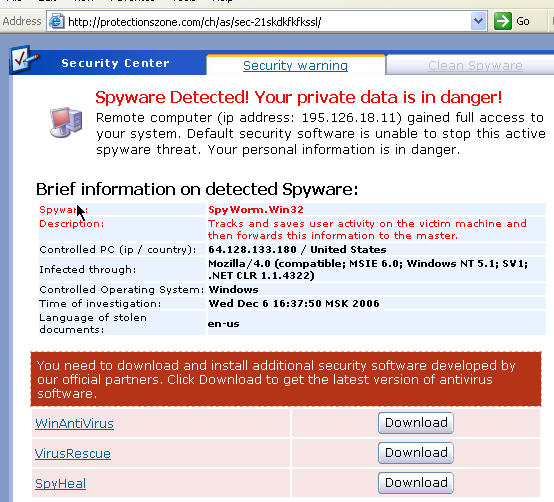
Get your piping-hot, fresh-baked scam sites here!

Avoid these like the plague.

IP: 85.255.118.214 
checkssecurity(dot)com      
cleansoftwares(dot)com      
protectionszone(dot)com     
entertainingzone(dot)com    
outgates(dot)com           
atruesecurity(dot)com         
atotalsafety(dot)com           

IP: 85.255.118.244 
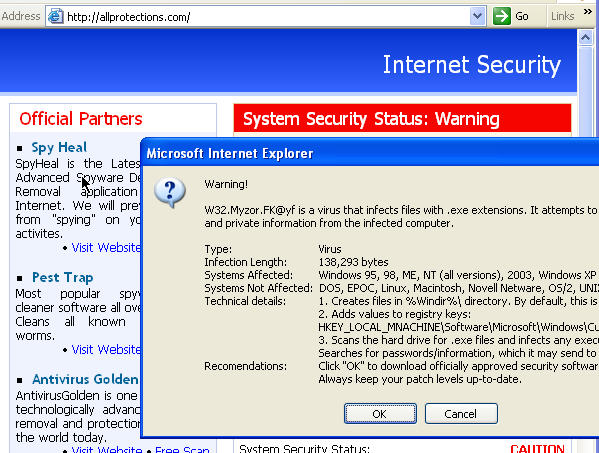
allprotections(dot)com         

Allprotections.com1262006

Atotalsafety.com1262006

Atruesecurity.com1262006

Checkssecurity.com1262006

Cleansoftwares.com_securityguide1262006

Protectionszone.com_scareads1262006

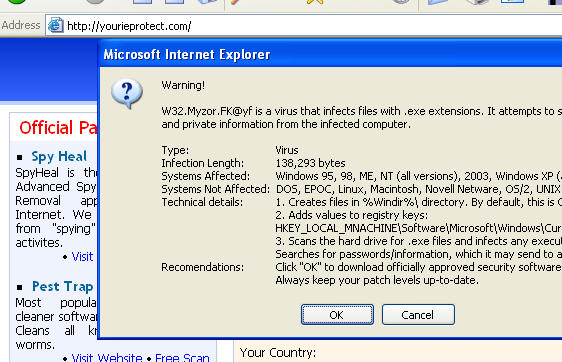
All of these sites are using a zlob trojan installed from vaxobject(dot)com.

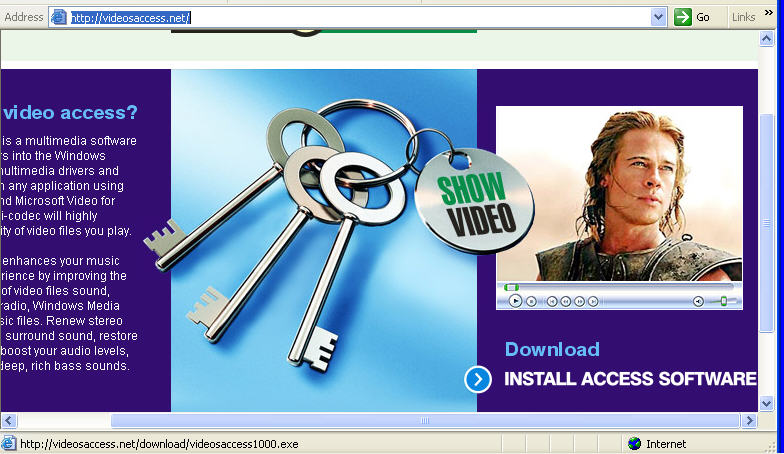
And avoid this new fake codec, vaxobject (Video Access ActiveX Object).  It’s spyware. 

Vaxobject1123900

IP: 69.50.188.100   
vaxobject(dot)com  

Patrick Jordan and Alex Eckelberry

Sunbelt Weekly TechTips

Vista Drivers: Keeping ‘Em Coming
Vista has gone RTM, but that doesn’t mean it’s “finished,” especially in terms of things like adding hardware driver support. Jim Allchin of Microsoft assured us in his blog last week that they’ll be adding more to the 19,500+ device drivers that are included on the Vista DVD. There’s already an additional 11,700 drivers that will be available on Windows Update. Read the full post here.

Ms788199.OfficeOutlookRibbon_Fig2(en-us,office.12)

The Office Ribbon: You’ll be Seeing More of It
The “ribbon” interface is the most controversial new feature in Office 2007. It seems you either love it or hate it. So there’s good news or bad news, depending on your point of view: Microsoft is licensing the Ribbon UI to other software makers, so they can make their programs look and feel more like Office (exception: programs that compete directly with Office applications). Luckily, I like the ribbon. My husband is a ribbon-hater, so he’s not going to be happy about this. Read more here.

Zune doesn’t work with Vista?
Speaking of Vista compatibility, we’re hearing from some sources that the new Zune music player from Microsoft doesn’t work with Vista. We also hear that it will be compatible eventually, but we’re not sure when. Link here.

Microsoft Desktop Stereograms
Did you know that some of the standard desktop wallpapers that come with Windows are stereographic images? Reader Tom M. tells us to try the Feather Texture, Gone Fishing and Coffee Bean backgrounds, looking at them like regular stereograms. When they “click in,” the desktop icons will seem to hover above the background and moving your head causes an apparent perspective shift between icons and background. Sure enough, it works. Cool! And reader Jeff B. sent us this link to a site where you can make your own stereograms.

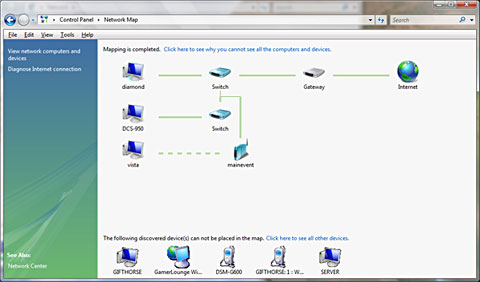
70882_smallnetmap

Vista: Exploring the Network Map
Vista includes a new look to the network connections interface, called the Network Center. The Network Map displays a diagram showing your computer and other computers and devices near it. To view the map:

  1. Click Start | Control Panel
  2. Under Network and Internet Connections (in non-classic view), click View Network Status and Tasks.
  3. In the Network Center, under Network Map, click View Full Map.

This displays the computers and devices (such as routers and switches) that Vista detected, and how they’re connected to one another. For more about this feature, click here.

How to roll back to IE 6
If you want to uninstall IE 7 and go back to IE 6, here’s how: 

  1. Click “Start,” and then click “Control Panel.”
  2. Click “Add or Remove Programs.”
  3. Check “Show Updates” at the top of the dialog box.
  4. Scroll down the list and highlight the version of Internet Explorer 7 that you are running, and then click “Change/Remove.” (If you are running Internet Explorer 7 Beta 2 Preview – March 20 or later, it is not necessary to check “Show Updates.”)

If you get an error message saying you can’t uninstall from the logged on user account, you may have to log off and log back on with a different account, or edit the registry to bypass the user account check:

  1. Click Start | Run.
  2. In the Run box, type regedit and then press ENTER.
  3. Navigate to HKEY_CURRENT_USERSoftwareMicrosoftInternet Explorer.
  4. Right-click the Internet Explorer key, select New, and click DWORD value.
  5. Type InstalledByUser as the name of the new value, and then press ENTER.

Now try the uninstallation again.

Browser Bug Puts Passwords at Risk on both IE and Firefox
A new exploit can allow hackers to embed forms in message boards, blogs and other forums where users can enter HTML messages, that can trick users’ browsers into sending password information to the hacker. Firefox is most vulnerable because of the way it stores passwords, but Internet Explorer can also be at risk. To protect against it, you should disable the password autosave feature in your browser. Read more here.  

How to display the menu bar in IE 7
I’ve heard complaints that the menu bar (File, Edit, View, Favorites, Tools and Help) is missing in IE 7. Actually, it’s still there, it’s just not displayed by default. To show it continuously, right click one of the toolbars that is displayed, and click to check “Menu Bar.” Or you can display the menu bar temporarily by hitting the ALT key.  As for sites that don’t work, sometimes this is because they don’t recognize the browser version. There’s a utility you can run that will cause IE 7 to emulate IE 6 for these sites. Direct download from here.

Computer stops responding when hibernation starts
If your XP computer stops responding when hibernation starts, it may be because you have Fast User Switching enabled. This problem can be resolved by installing the latest service pack, but if you’re unable to do so (for instance, because of a known application compatibility), there is a separate hotfix available for this problem. To find out how to get it, see KB article 834202 here.

The Add/Remove Programs tool displays installed programs incorrectly
Sometimes the Add/Remove Programs tool in Control Panel displays no listed programs, or displays the programs incorrectly. This can happen when the uninstaller removes registry entries that it shouldn’t. You can fix the problem by editing the registry to re-register the Control Panel application or recreate the missing registry keys and values. For explicit instructions on how to do so, see KB article 266668 here.

Email security and productivity tips
IT Security recently published piece entitled “Hacking Email: 99 Email Security and Productivity Tips.”  Link here.

Deb Shinder, MVP

VoIP (Voice over IP) Revisited

Telephone services that use the Internet instead of the traditional telephone network (Voice over IP) can save you a lot of money. We’ve been using Lingo’s VoIP services for our small business for almost two years now, with very few problems. We got a phone line with advanced features such as voicemail with email notification, caller ID, and 3-way conference calling for around $22 per month total (including taxes and fees). That’s about half of what we pay for a “barebones” landline with no special features. The only reason we kept the telco line at all was for the security system, faxes and the very rare occasions when we got poor quality with VoIP.

During those two years, I’ve learned a lot about VoIP. In fact, I now write a weekly VoIP column for TechRepublic and have had the opportunity to try out some new VoIP products. It’s come a long way, baby, from the early days of Skype when making a call over the ‘Net was more of a novelty than a viable business practice, when it meant plugging a headset into your computer and “dialing” on your computer screen, when you could only call other people who had the software installed on their computers.

In fact, Skype itself has come a long way, and I recently tested the beta of their latest version (v.3), which has a lot of good features for business and personal use. They even have a special corporate version for businesses, which makes it easy to deploy Skype on multiple machines and provides for centralized management of all the Skype accounts in your company. You still have to install Skype on your computer, but you can now get Skype phones that plug into your USB port or work via wireless to make the experience more “phone like.” And Skype is still a free service if you want to talk to others who have Skype installed, or for making outgoing calls to regular PSTN phones in the U.S. (through the end of 2006). If you want to make international calls or have a phone number where PSTN users can call you, you have to pay – but it’s a lot less expensive than even the traditional VoIP providers.

For just $38 per year (which comes to a little over $3 per month), you can subscribe to the SkypeIn service. You can select the phone number you want in your own area code or elsewhere, and others can call you on it. Of course, your computer has to be on to receive calls, but you can install the Skype software on multiple computers and use the same account. For example, I installed it on both my desktop and laptop. If both computers are on when a call comes in, it rings on both systems, just like extension phones in a house. You can also install Skype on Windows Mobile devices, like my Pocket PC phone. If you want to check it out, go to Skype.  

Another cool VoIP product for businesses is Asterisk, IP PBX software that’s open source. IP PBX serves the same function for VoIP systems that traditional PBX does for landlines – allows you to distribute a few incoming lines among a larger number of internal phone extensions. It’s not something you’re likely to need for your home VoIP line, but it’s great for businesses that don’t want to pay for a separate line for every employee.

It has many advanced features such as call monitoring, call queuing, and of course, voicemail. You can run it on a regular PC on top of Linux or Windows. Setting it up requires a bit of tech savvy, but there are more user-friendly versions such as TrixBox (previously called Asterisk@Home) that lets you use a graphical web interface for configuration. With Asterisk, you can do such things as set up individual block lists (sort of like spam filters for the phone, letting you refuse calls from specific callers). Asterisk can be downloaded free here.

In fact, it’s the block list feature that has us currently considering switching VoIP providers. We regularly get “junk calls” from a Canadian company which, according to Internet research on the phone number that shows up on Caller ID, is a telemarketing firm that calls people and asks to “verify their information” (name, address, etc.) – a form of phone phishing. We’d like to block this number, but Lingo doesn’t give us a way to do that (although they do let us block numbers that don’t provide Caller ID information).

A bit of web research turned up the fact that Vonage apparently doesn’t offer this feature, either, but SunRocket does. Further, if you pay annually ($199), SunRocket costs a little less than Lingo ($16.58/month before taxes and fees; Lingo is $19.95). A friend who switched reports that he’s had no problems with SunRocket, and in fact has noticed better quality on some calls than with Lingo. On the other hand, Lingo’s base price includes free calls to Western Europe, and SunRocket’s only includes the U.S. and Canada. Like everything else in life, it’s a tradeoff.

In fact, most VoIP experts agree that as the technology becomes more widespread, we can expect to see a huge growth in the problem of SPIT (Spam over Internet Telephony). Just as spammers now flood your email box with unwanted commercial messages, they’re likely to flood voicemail boxes with unwanted recordings. It’s easier to send IP voice messages in bulk, hundreds or thousands all at once, as opposed to traditional autodialers that dial one number at a time. And SPITTERs can use spoofing techniques to display fake Caller ID info to hide the origin of the call. Luckily, there are already companies working to address this problem with software that analyzes message content, recognizes SPIT and deletes it or reroutes it.

Let us know what you think about VoIP. Have you taken the plunge yet? What service(s) have you used, and what do you like or not like about it? Are you brave enough to use it as your only telephone service, or do you maintain landline and/or cellular phones for backup? What are your “must have” features: free international calling, individual call blocking, etc.? Will SPIT be the downfall of VoIP, just as spam has caused many people to abandon email? 

Deb Shinder, MVP
We’re almost at the anniversary of the WMF exploit

Those of you in the security space late last December will remember the WMF exploit.  The week the WMF exploit hit was absolutely intense, even more so since it hit right around the holidays.

James Voorhees consulted with a number of individuals and companies (including Sunbelt) and has written a good overview of what happened during that whole time, and you can read it here.  

It would be too much to say that all was calm over the Christmas weekend in 2005. All the same, Deborah Hale, a handler at the Internet Storm Center, found it so quiet on 27 December that she speculated that “Perhaps all of the script kiddies got new computers for Christmas and haven’t gotten fully up to speed yet.” (Hale, 2005). Within hours, however, frenzy would replace that quiet as telephone calls and email messages showed that a vulnerability in Windows Metafile Format (WMF) files, heretofore unknown to most of the world, was being exploited. Exploits multiplied exponentially from that time on, with 200 individual exploits and more than 1100 infectious URLs appearing before Microsoft issued a patch (Symantec, March 2006; Websense, January 5, 2006). The vulnerability gained the attention of the entire security community. Extraordinary efforts were made to find a fix for the problem. But no complete fix was available to most users until Microsoft made its patch available more than a week later, on Thursday, 5 January 2006.

Alex Eckelberry

Two recently-inducted members of my CEO hall of fame

Heads up for two CEOs who call it like it is.

First award goes to Mark Suster, CEO of Koral, who blogs openly about his recent experience with some venture capitalists (VCs):

So I’m stuck with the paper shuffler and the Blackberry man. I am not kidding you when I say that I was on the verge of literally saying, “let’s just call this meeting a day. It’s clear you have no respect for me and no interest in my company.” I bit my tongue (which my wife will tell you is rare). I finished the next 15 painful minutes and said goodbye. My only regret … the $25 I had to pay to park in their building. They were seriously the most pompous, self-centered, unprofessional group of people that I have come across in a long time. 

Beautiful.  If you’ve ever done the investment banking or money raising thing, this story will ring true — especially the jackanape on the Blackberry.  VC guys take note:  You think CEOs are stupid and don’t notice when you’re acting like idiots? 

Then there’s Bill Watkins, CEO of Seagate, who recently had these priceless quotes in an article with CNN:

“Let’s face it, we’re not changing the world. We’re building a product that helps people buy more crap – and watch porn…”. and “People worry that newspapers are going out of business. So what? It’s the content that’s important. No one gives a s**t about the delivery mechanism. Think about mail. You had the pony express, truck delivery, airmail, email. You don’t care how it gets to you. I read more now than I ever did, but I get it off my PC. I don’t need to go down to the end of the driveway and pick up the newspaper. It’s the content that’s most important.”

Here’s to CEOs who actually talk and write normally. Compare that to the uber-polished slicksters that pass for CEOs at so many companies — making only politically safe statements, peppered with the latest buzzwords and jargon. 

Nobody ever wins anything worthwhile playing it safe.  

Alex Eckelberry
(Hat tip to Valleywag)

Creating an efficient B-tree for anti-malware databases

A while back, when we were creating our Linux version of CounterSpy (for use on gateway appliances), we needed to optimize CounterSpy’s large database for highly efficient, high-volume use. 

One of our senior developers, Chandra Prakash, developed a modification of the classic B-tree data structure and the results have been quite impressive in terms of performance. He’s presenting the methodology at the AVAR conference this week. 

Being the kind and beneficent soul that I am, I’ve posted his paper here

After all, I know my competition needs all the help it can get.*

Alex Eckelberry 
*Ok, ok, I’m just kidding!

Party in Prague

In our research, we have come across some interesting photos of a festival of debauchery in Prague,  hosted by online marketer Klik Revenue. This is the group identified with several antispyware programs a as well as a number of other online ventures, such as travel, pay-per-click affiliate advertising, online ads, domain registration, and other such things.

It all started with an invitation for a big party in the “very heart of Europe” in October for their top affiliates (Borat Bebefish translated PDF text here).  A number of prizes were to be given out, including a Mercedes C-Class, Nokia 8800s, Sony T9s and Sony Vaios (graphic here).

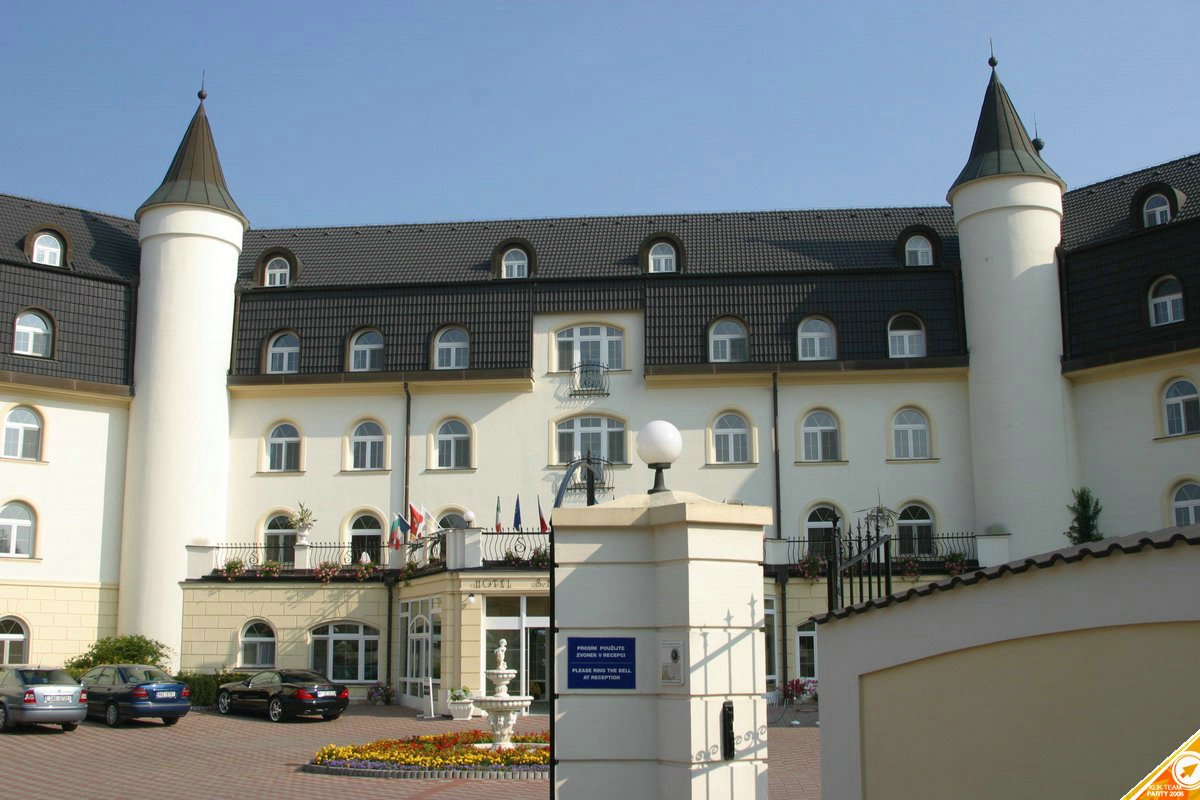
Well, the party was a blowout success.  Situated in a beautiful castle converted to a hotel in Prague, it featured two days of strippers, piles of loot, lots of drinking and, of course, a paintball game!  All that was missing was Scarface-style bowls of cocaine.

Some of the pictures are racy, and we’ve had to do some editing (we do try to keep this blog no worse than PG-13!).  In several cases, we have simply not included pictures that are quite inappropriate.

001001005

It starts with a beautiful hotel in Prague.

001001016

001001012

The Mercedes giveaway

001001037

001001038

This t-shirt advertises the various Klik Revenue properties.

001001036

001001080

Some strippers to show off the Mercedes.

001001109adfas

0011029

0011043

A visit by the “FBI”

0011052

Yes, those are condoms.  Why?  I have no idea.

0011046

A full photo album is available here (viewer discretion advised).  

Sunbelt Research Team

The revolting Revolt-Search.com

Revolt-Search(dot)com is a search site that passes its searches through to searchadv.com.

Seems they like to scare people too.

Revoltspyware012312312

This pushes, through an affiliate link, a download of The Spy Guard, marketed by Klik Software (part of Klik Revenue).

Note that we do not recommend going to this site except in a vmware/virtual PC session. 

Alex Eckelberry
(Credit to Sunbelt researcher Patrick Jordan)


We’re on VirusTotal

Our CounterSpy 2.0 beta technology has been accepted as one of the scanning engines on VirusTotal. This is a big honor for us and we’re thrilled to be part of this community!

If we don’t catch a virus, don’t be surprised, as the CounterSpy 2.0 engine is fairly specific to spyware.  However, we continue to add antivirus capabilities to it. I’ll be blogging next week on the CounterSpy 2.0 platform itself and what type of technology it is. 

VirusTotal blog link here.

Alex Eckelberry


Silver, Gold… but you’re not getting platinum, scumbags

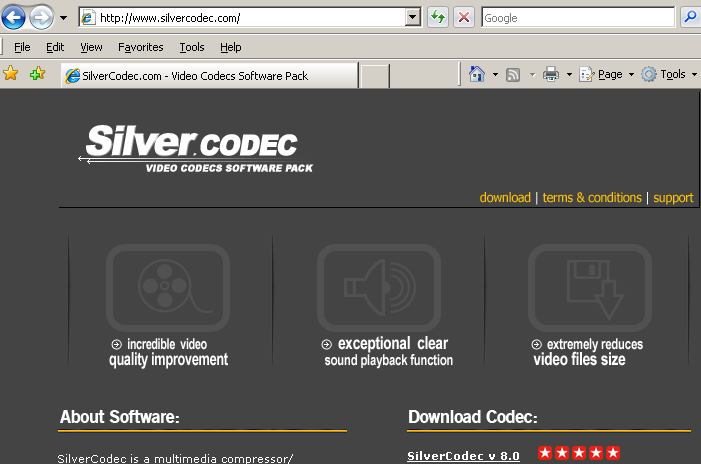
Silvercodec10123991871

Last week, we found two more fake codecs sites — Silvercodec(dot).com and Goldcodec(dot)com.  Both of these install fake codecs which do all sorts of nasty things to your PC (oh, rootkits, that kind of stuff).

We got to thinking:  Silver… gold… it seems like it’s only going to be a matter of time before the slimeballs pick up Platinum… so we preemptively registered that domain to thwart them.  All major TLDs have been registered to Sunbelt Software, thereby keeping these domains out of the hands of the bad guys. 

Alex Eckelberry
(And thanks to Suzi for coming up with the idea)

Sunbelt Weekly TechTips

New look for Microsoft homepage being tested
Microsoft is testing out a new look for their web presence, and it’s definitely more elegant than the old one. In fact, it has a definite “Vista” flavor. The real question is whether it will be easier to navigate and find what you’re looking for. Meanwhile, tell us how you like the new look. It’s online here.

Read more about it here.

Updates kill Outlook 2007 beta
If you’ve installed the Office 2007 beta 2, you may have awakened a few days ago to find that Outlook wasn’t working properly. In my case, I could read mail with no problem, but suddenly I couldn’t send – neither by replying/forwarding nor by creating a new message. Trying to do so displayed a non-helpful error message.

Uninstalling the beta and replacing it with the Office 2007 RTM version fixed the problem, but what if you don’t have access to the RTM code? As an MSDN member, I do, but most consumers won’t be able to get the final version until January. You may need to uninstall Office 2007 and reinstall Office 2003 to regain Outlook functionality. That’s rotten, considering it was implied that the Office 2007 beta would be good until February.

Bitlocker_55x55Vista: Make laptops more secure with Bitlocker
Vista’s Enterprise and Ultimate editions include a new security feature that’s especially useful for portable computers: BitLocker Drive Encryption. It’s designed to protect your data when an unauthorized person gains physical access to the system (for example, a stolen or lost laptop). You can configure the computer to require a startup key (such as a USB flash memory drive) or a PIN to boot the computer. This makes data stored on portable computers much more secure, so that a thief can’t merely boot into a different operating system or use a boot disk to get to the data. You can read more about BitLocker here.

How to add the Encrypt/Decrypt command to the right context menu
Want to be able to right click a file or folder and select to encrypt or decrypt it, without having to click through the Properties | Advanced dialog boxes? You can do it by editing the registry. Here’s how:

  1. Open your favorite registry editor.
  2. Navigate to this entry: HKEY_LOCAL_MACHINE Software Microsoft Windows CurrentVersion Explorer Advanced
  3. In the right details pane, right click an empty spot and select New, then DWORD Value.
  4. Name the new value EncryptionContextMenu.
  5. Double click the new value, and in the data value box, enter 1.
  6. Click OK and close the registry editor.
  7. Restart the computer for the new setting to take effect.

Get patched now! The exploits are out there
If you don’t have your computer set to automatically install critical updates and you haven’t yet installed the patches released on this month’s Patch Tuesday, it’s probably a good idea, since there are already instructions circulating on the Internet for how to exploit some of the vulnerabilities that are fixed by those patches. Read more here.

Files from FTP site download into the wrong folders
If you download files from an FTP site and they don’t go into the folder that you selected, it may be caused by certain characters in the file name that match those of a folder you already have on your hard disk. This can be fixed by the latest service pack or, if you don’t want to install the service pack for some reason (such as incompatibility with legacy applications), there is a hot fix specifically for this problem. To find out how to get it, see KB article 810790.

Help window doesn’t appear when you click Help on the Office Online web site
If you visit the Microsoft Office Online web site and click the Help link in the upper right corner of the page, you might receive a warning message instead of the Help page you were expecting. This can be caused by having your popup blocker set to High. You’ll need to either override the popup blocker or temporarily enable popup windows. For information on how to do so, see KB article 884183.

Deb Shinder, MVP

IE 7: Are we there yet?

Internet Explorer 7 was released in final version just over a month ago, and it’s distributed as an automatic update. The auto upgrade is relatively painless, and the new IE offers many advantages over its predecessor, such as tabbed browsing and the anti-phishing filter, ActiveX opt-in and other security enhancements. Unfortunately, it still contains a few bugs (or are they “undocumented features”) that result in my using Firefox much more often than I would otherwise.

One of the most annoying in everyday life is the tiny font problem. We’re talking really small here, and changing the text size in the View menu has no effect. You can use the zoom here to make the text readable (118% does the trick), but the problem is that the tiny fonts only appear on some web sites, so when you go to another site that doesn’t have the problem, you have to adjust the zoom again. Firefox displays both pages in a reasonable font size without the need for adjustments.

The other, potentially more worrisome but much less frequent problem is IE lockup. Every once in a while (maybe once every three days), IE 7 just quits working. I’ll be browsing with no problem and then when I click a link or type in a URL, it just won’t connect, just sits there spinning its wheels for minutes. Meanwhile, Firefox will connect to the same site immediately.

Are you experiencing any problems as well? 

Deb Shinder, MVP

What Effects will the Election have on Technology Issues?

Unless you’ve been way out of the country (visiting Jupiter, for example), you’re probably well aware of the imminent changing of the guard in Washington D.C. brought about by the national elections earlier this month. The vote in many races was “squeak by” close, as it has been in so many recent elections – but a win by one vote has the same result as a win by one hundred million. So our law-making bodies are now under the control of the “other side” for the first time in twelve years – a fact that makes some people very happy, others very sad, and many (who believe the only difference between the two major parties lies in the specific methods by which they’ll make our lives miserable rather than the amount of misery) a little indifferent.

Even if you live in another country, the actions of the U.S. government are likely to affect you in ways both subtle and overt. And those in the technology industry, like others in different fields, are wondering how this “takeover” will impact the issues that matter most to us.

As the old saying goes, there’s good news and there’s bad news. And your perspective is likely to depend in part on where you stand in the technology food chain (business owner, tech worker, or consumer). Perhaps surprisingly, the Democrats’ traditional stances on tech issues aren’t always friendlier to the “little guys” lower down the list.

An article that ran on CCN.com a week after the election proclaimed that “the new Congress may be the most technology-friendly in history.” That sounds like reason to celebrate – and if you own a software company, it just might be. The new legislators are expected to raise the ceiling on H1-B visas. That means tech companies will be able to hire more programmers and other skilled workers from other countries. That’s definitely good news for those companies.

It may not be such good news for American tech workers, who are typically used to much higher salaries than their counterparts in India and China. Will more foreign workers result in fewer jobs for Americans and/or lower pay all the way around? I guess we’ll have to wait and see. Meanwhile, lower paid tech workers might result in lower prices for consumers. That’s how it should work, and sometimes it even does.

The CNN article goes on to discuss the “net neutrality” issue. The new Congress is likely to be more in favor of laws prohibiting service providers from setting up “tier” systems charging more for higher bandwidth applications. Both consumers and content providers like Microsoft and Google are in favor of such laws. ISPs and libertarians who think the ‘net is already regulated enough oppose them. Should those who use more bandwidth pay more? It seems logical, but proponents of the neutrality laws say no. If ISPs are prevented from charging more for the high bandwidth use, will they just raise prices on everyone instead? That, too, remains to be seen.

What about an issue near and dear to the hearts of many at the consumer level: copy protection? You’d think the Democrats would be on the side of the little guys, right? Surely they’ll be rushing to repeal laws that allow big corporations and organizations like RIAA to harass elderly grandparents and eight year old kids for allegedly sharing a song. Surely they’ll get tough on music companies that install rootkits on their customers’ computers. Surely they’ll make it easier for us to enjoy our legally purchased music on multiple devices and make backups in case the originals are damaged or lost.

Oops. Think again. Based on their past votes, you shouldn’t expect the cavalry to come riding in on the wave of the mid-term elections. Remember that the Digital Millennium Copyright Act (DMCA) was signed into law by a Democratic president. That’s the law that makes it illegal for you to circumvent copy protection technology, even if you’re doing it to make your own backups of content you legally bought. And Congressional Democrats have proposed legislation that would make it legal for record companies and movie studios to hack into P2P networks. When you think about it, this probably shouldn’t come as a surprise at all, since Hollywood provides so much financial support to the party.

Just prior to the election, CNET News.com published a voter’s guide based on current legislators’ records on technology-based issues. Interestingly, the most technology-friendly member of the House was shown to be Ron Paul, a Texas Republic, who scored even higher than Democrats who represent Silicon Valley (80%). Republican George Allen of Virginia held the highest Senate score (78%). Overall, Democrats slightly beat Republicans in the House while Republicans scored an average of 10% better than Democrats in the Senate. You can read more here.

So what do you think? Selecting the candidates to vote for is always a trade- off, so most people cast their votes based on the issues they care about most (the war, taxes, privacy rights, abortion or some other “hot button” issue). Regardless of how you think they’ll do overall, do you think this election will be good or bad for technology innovators, workers and consumers? 

Deb Shinder, MVP

What to do after your big Thanksgiving feast

Go to a website that has some graphics.

Then paste the following code into the address bar of your browser:

javascript:R=0; x1=.1; y1=.05; x2=.25; y2=.24; x3=1.6; y3=.24; x4=300; y4=200; x5=300; y5=200; DI= document.getElementsByTagName(“img”); DIL=DI.length; function A(){for(i=0; i-DIL; i++){DIS=DI[ i ].style; DIS.position=’absolute’; DIS.left=(Math.sin(R*x1+i*x2+x3)*x4+x5)+”px”; DIS.top=(Math.cos(R*y1+i*y2+y3)*y4+y5)+”px”}R++}setInterval(‘A()’,50); void(0);

(Don’t worry, it’s safe — at least from a security standpoint.  But your stomach may feel otherwise.)

And if I don’t get a chance to say it:  Happy Thanksgiving, all!

Alex Eckelberry
(Thanks, Robert!)

Some ugly new fake codecs

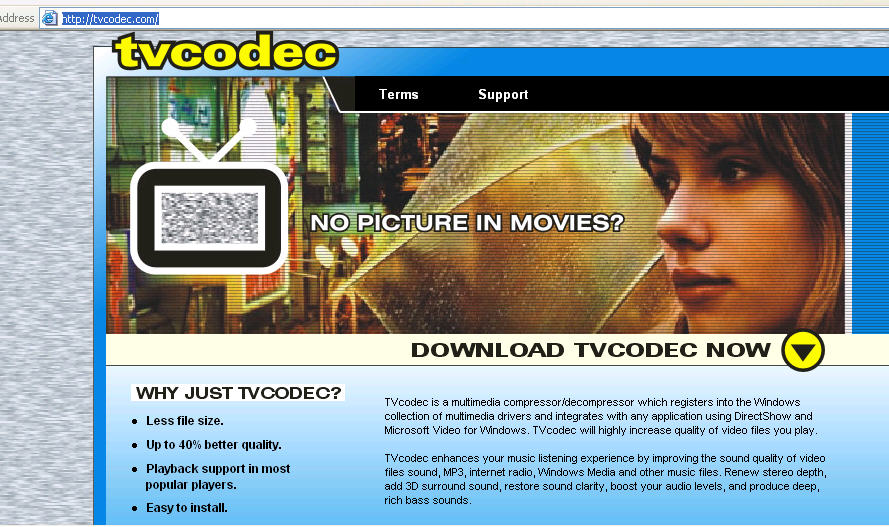
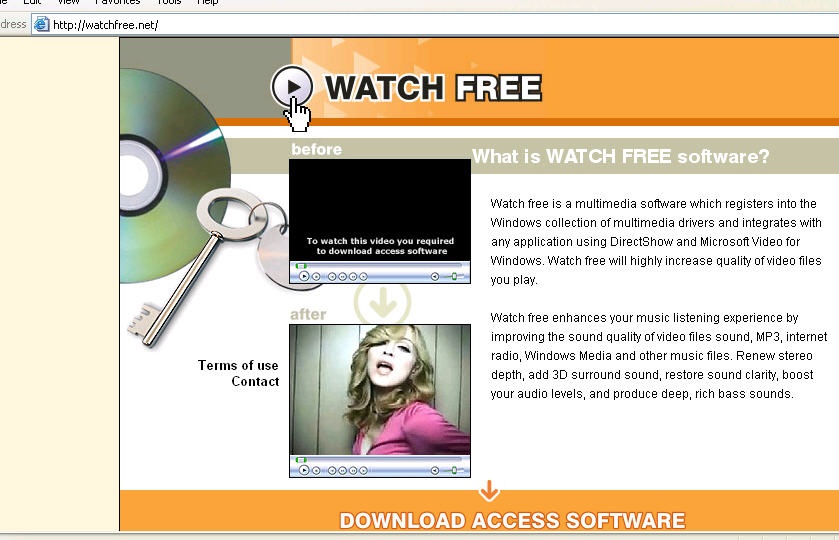
Moviecodec, tvcodec and watchfree — all malicious fake codecs.

Obviously, do not install these on a system as they are a hotbed of malware. The promises are all false:  They do not improve video or audio, and installing them under the premise of “free video” or any other reason is a very bad idea. I am saying this only because I’m seeing lots of search engine hits on this blog from people trying to find out more about particular fake codecs, and I want to make sure people don’t install them!  

Moviecodec.net11182006
MovieCodec(dot)net 

Tvcodec.com11182006

Tvcodec(dot)com 

Watchfree.net11182006

Watchfree(dot)net

These have domain registration courtesy of estdomains, hosting by malware-friendly Intercage.

And finally, StrCodec, located at strcodec(d0t)be(dot)cx as well as clusif(dot)free(dot)fr.  

Alex Eckelberry
(Thanks to Andrew Clover for passing these on to us, and Patrick Jordan for the screen shots.  Thanks to Andrew Stevenson for finding StrCodec.)